
Lifestyle
FBR Tax Asaan App 2026: How to Register, File Returns and Pay Tax

Filing taxes used to mean long queues, paper forms, and expensive tax consultants. Today, however, the FBR Tax Asaan App lets you register, file your return, check your filer status, and pay tax from your phone. So in this guide, we explain how the app works in 2026, how to register, how to file and pay, and how to fix common problems. In addition, we compare it with the IRIS web portal, so you can choose the right option for your needs.
Note: This guide shares general information, not professional tax advice. Tax rules, forms, and deadlines change often, so always confirm the latest details on the official FBR website or with a qualified tax adviser.
Last updated: October 2026.
What Is the FBR Tax Asaan App?
Simply put, Tax Asaan is the official mobile app of the Federal Board of Revenue (FBR). In addition, Pakistan Revenue Automation (PRAL), the FBR’s technology company, built and runs it. Basically, the app brings many IRIS portal services to your smartphone in a simpler, step-by-step form.
For example, salaried people can file a simple return in a few minutes, while shopkeepers and freelancers can register and pay their tax without visiting an office. As a result, the app has become one of the easiest ways for ordinary Pakistanis to join the tax net.
Is Tax Asaan Still Available?
Yes. As of October 2026, the FBR Tax Asaan App is still live and receiving updates. In fact, the Android version on Google Play shows PRAL as the developer, with more than one million downloads and a recent update in August 2026. Similarly, the iPhone version is available on the Apple App Store under the name Tax Asaan, with FBR as the developer.
So for a safe Tax Asaan app download, always use the official Google Play or App Store listing. However, fake copies and look-alike apps sometimes appear in app stores. Therefore, before you download anything, check that the developer name is PRAL or FBR, and never share your IRIS password or PIN with any app, website, or person who contacts you.
Key Features of the FBR Tax Asaan App
Clearly, the app covers most of the tasks an individual taxpayer needs. Specifically, you can use it for:
- Registration: Sign up for income tax and get your NTN, which for individuals is usually your CNIC number.
- Return filing: File a guided income tax return, especially if you are salaried or have simple income.
- Verification services: Check ATL status, NTN details, and other taxpayer information.
- E-payments: Create a payment slip (PSID) for income tax, sales tax, and federal excise duty.
- Withholding data: See the tax that banks, employers, and mobile companies have already deducted from you.
- Password recovery: Reset your IRIS password and PIN through your registered mobile number and email.
Overall, the app suits individuals with straightforward finances. However, companies, large businesses, and people with complex income should still use the full IRIS portal or a tax professional.
How to Download and Register on the FBR Tax Asaan App
Before you start, keep a few things ready. Above all, you need your valid CNIC, a mobile SIM registered in your own name, and an active email address. If your CNIC has expired, renew it first, because the system checks your details with NADRA. Our guide on what a CNIC is and why it matters explains this in more detail.
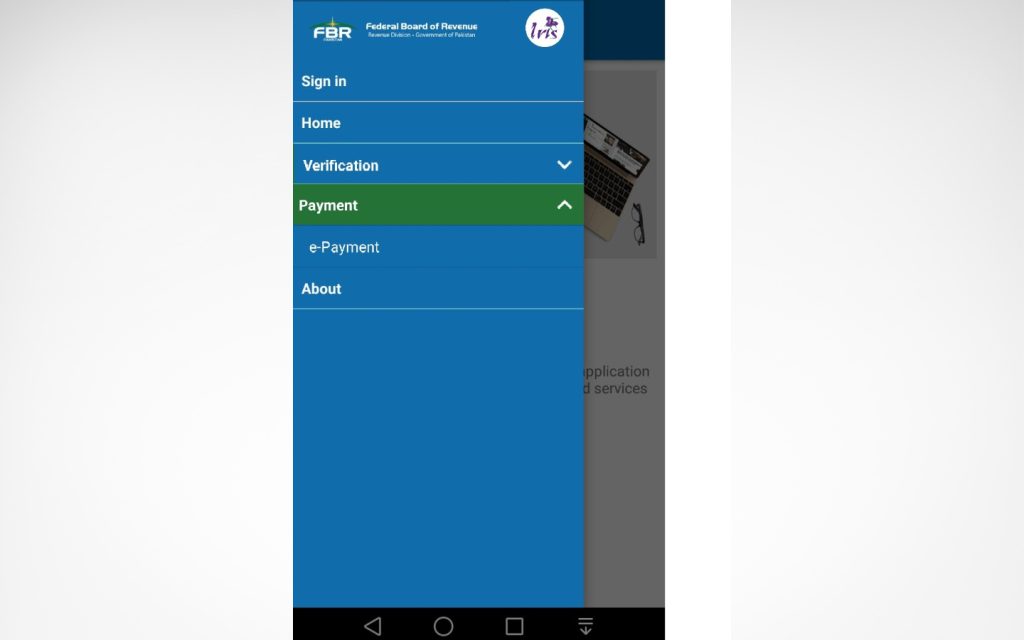
- First, open Google Play or the App Store and search for “Tax Asaan”.
- Next, check that the developer is PRAL or FBR, and then install the app.
- After that, tap “Registration” and enter your CNIC, mobile number, and email.
- Then enter the verification codes that FBR sends to your phone and email.
- Finally, you will receive your password and PIN, which you should keep private.
If you do not have a CNIC yet, you can follow our step-by-step guide to apply for a CNIC online in Pakistan first. Also, if the SIM is registered in a parent’s or spouse’s name, the codes may not reach you, so use a SIM in your own name.
How to File Your Income Tax Return Online
Once you register, you can file income tax return forms directly from the app. For instance, the steps for a salaried person usually look like this:
- First, log in with your CNIC and password.
- Choose the return for the right tax year, for example tax year 2026.
- Enter your salary income, since the app often pulls employer data automatically.
- Check the withholding tax already deducted on your salary, bank profit, mobile bills, and car token.
- Fill in your wealth statement, which lists your assets, such as property, a car, cash, and gold.
- Review everything carefully, and then submit using your PIN.
For the wealth statement, you must declare gold and jewellery too. So it helps to know the current gold rate in Pakistan today when you value your assets. Furthermore, if you prefer the full desktop process, read our guide on how to file income tax returns online in Pakistan.
How to Pay Tax With a PSID
Generally, FBR collects tax payments through a Payment Slip ID, usually called a PSID. In other words, the PSID is a unique number that tells the bank exactly which tax you are paying. Here is how the FBR PSID payment process works:
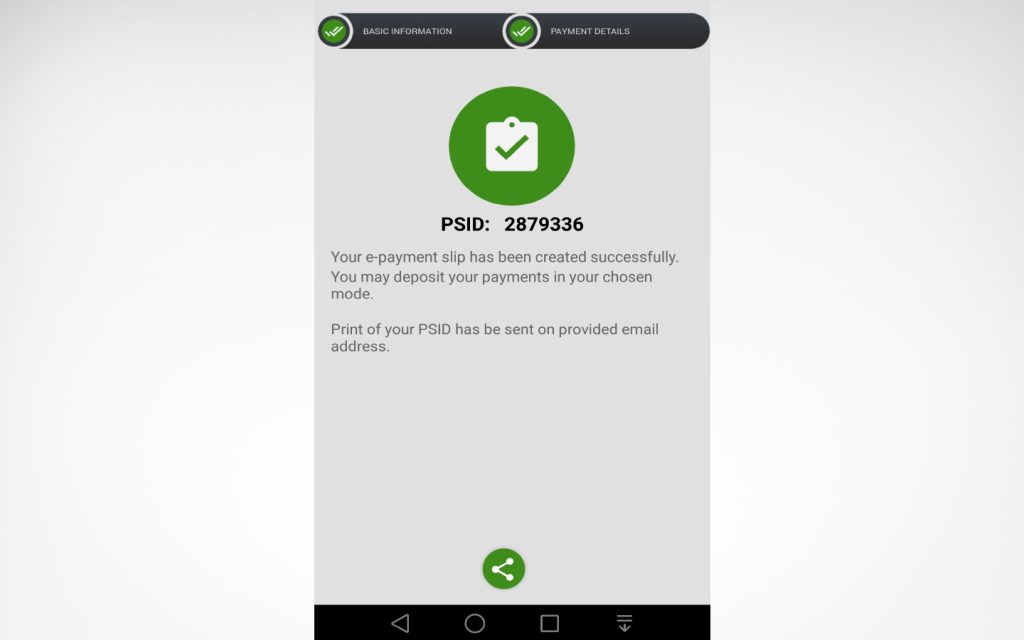
- First, open the e-payment section in the app.
- Select the tax type, for example income tax, along with the tax year and amount.
- After that, generate the PSID, and note the number down.
- Pay the PSID through your bank’s mobile app, internet banking, ATM, or a bank branch.
- Keep the CPR (Computerised Payment Receipt), because it proves that you paid.
Importantly, a PSID has a validity period. So if you do not pay it in time, simply generate a new one.
How to Check Your ATL Status
Basically, the Active Taxpayer List (ATL) shows who counts as a filer. Being on the list matters, because filers pay lower withholding tax on many things, such as bank cash withdrawals, property deals, and vehicle registration. Fortunately, you can check ATL status in three easy ways:
- By SMS: Type ATL, a space, and your 13-digit CNIC without dashes, and then send it to 9966.
- In the app: Use the verification or ATL option in Tax Asaan.
- Online: Use the ATL search on the FBR website.
However, if you file after the deadline, FBR usually does not add your name to the ATL until you pay a surcharge. Therefore, filing on time saves both money and trouble.
FBR Tax Asaan App vs IRIS Web Portal
Naturally, many people wonder whether to use the app or IRIS FBR on a computer. In short, both connect to the same system, but each one suits different users.
| Feature | Tax Asaan App | IRIS Web Portal |
|---|---|---|
| Best for | Salaried and simple returns | Business and complex returns |
| Device | Android or iPhone | Computer or laptop |
| Registration | Yes | Yes |
| Return filing | Guided, simple forms | Full forms and schedules |
| PSID payments | Yes | Yes |
| ATL check | Yes | Yes, via FBR website |
| Ease of use | Very easy | Needs more knowledge |
Generally, if you earn only a salary and some bank profit, the app is enough. On the other hand, if you run a business or earn from rent, freelancing, and investments together, IRIS gives you more control.
Common App Problems and Fixes
Like any government app, Tax Asaan can have issues, especially near the filing deadline. Therefore, here are some common problems and quick fixes:
- Verification code not received: Check that the SIM is in your own name, and then try again after a few minutes.
- Forgot password or PIN: Use the password recovery option, since FBR sends the reset codes to your registered mobile and email.
- App not loading: Update the app, clear its cache, or try again at night when traffic is lower.
- Wrong withholding data: Contact the bank or employer that deducted the tax, because they must correct their records.
- Other issues: Call the FBR helpline at 051-111-772-772 for help.
Safety Tips to Avoid Tax Scams
Tax scams are rising in Pakistan, especially around the filing season. For example, fraudsters send fake SMS messages that claim you have a tax refund or a penalty, and then they ask for your PIN or bank details. Therefore, follow these simple safety rules:
- Never share your IRIS password, PIN, or verification codes with anyone, including people who claim to work for FBR.
- Only use the official app and the fbr.gov.pk website, because FBR does not ask for your bank card details by phone.
- Avoid filing on public Wi-Fi, for example in cafes or shopping malls.
- Keep a copy of your submitted return, wealth statement, and payment receipts in a safe place.
- Log out of the app after use, especially on a shared phone.
In short, if a message feels urgent and asks for secret codes, it is almost certainly a scam. Instead, check your status directly in the app or on the FBR website.
Tax Year 2026 Deadline
The normal deadline for individuals is 30 September each year. However, for tax year 2026, the FBR extended the date twice, and the latest deadline is 31 October 2026. Since dates can change again, check the FBR website for the latest notice. Above all, do not wait for the last few days, because the system often slows down under heavy load.
Benefits of Becoming a Filer in Pakistan
First of all, filing a return is a legal duty if your income crosses the taxable limit. Besides that, being a filer brings real everyday benefits:
- Lower withholding tax on bank transactions, property, and vehicles.
- Easier approval for loans, credit cards, and some visas.
- A clean record of your income and assets, which helps in property and inheritance matters.
- Tax credits, for example on approved pension fund contributions, as our guide to retirement planning in Pakistan explains.
FAQs
Is the FBR Tax Asaan App free?
Yes. The app is free to download and use. However, you still pay any tax you owe through a PSID.
Can I file my return on the FBR Tax Asaan App without a tax consultant?
Yes, especially if you are salaried and have simple income. Still, if your finances are complex, a qualified adviser can help you avoid mistakes.
How do I check if I am a filer?
Send ATL, a space, and your CNIC number to 9966, or check the active taxpayer list on the FBR website or in the app.
Can overseas Pakistanis use Tax Asaan?
Yes, as long as they have a valid CNIC or NICOP and can receive the verification codes. Still, they should check their residency status rules before filing.
Final Word
To sum up, the FBR Tax Asaan App makes tax filing far easier for ordinary Pakistanis. So download the official app, register with your own CNIC and SIM, file before the deadline, and keep your payment receipts safe. For official notices and forms, visit the FBR website. In the end, a few minutes on your phone can save you higher taxes and a lot of stress.







How to Renew Motorcycle Token Tax Online in Pakistan

Top 10 Best Scooters in Pakistan for City Use


