Knowing how to block SIM Pakistan networks allow is vital if your phone is lost or stolen. Moreover, fast action protects your identity, money, and privacy. In this post, you will learn every way to block a SIM quickly. Furthermore, this guide covers replacement SIMs, unknown SIMs, and staying safe.
To begin, a lost SIM can cause serious harm. Specifically, criminals can misuse it for fraud or SIM swap. As a result, blocking it quickly is essential. Therefore, learning to block SIM Pakistan style can save you from big trouble.
Why Block a SIM?
Blocking a SIM protects you in many ways. Firstly, it stops criminals from misusing your number. Secondly, it protects your bank and mobile wallet. Thirdly, it guards your identity and CNIC. So, quick blocking is always the safe choice.
The risks of delay are very real. Specifically, a stolen SIM can access your OTPs. Moreover, fraudsters can drain your accounts. Additionally, they can harass others using your number. Therefore, never wait after losing a SIM.
Blocking also gives you full control. Specifically, you can later get a replacement SIM. Moreover, you keep your old number safely. Therefore, blocking is a smart first step. Indeed, it brings real peace of mind.
When Should You Block a SIM?
A few clear situations call for blocking. Basically, these involve loss, theft, or misuse. So, act fast in any of them. Below are the main cases.
Several situations need instant blocking. For example, your phone is lost or stolen. Likewise, you notice a SIM swap or sudden signal loss. Moreover, an unknown SIM appears on your CNIC. Additionally, your number faces fraud or harassment.
Each case puts your safety at risk. Specifically, delay gives criminals more time. Moreover, quick action limits the damage. Therefore, block the SIM the moment you suspect trouble. Indeed, speed is your best defence.
Network Helpline Numbers
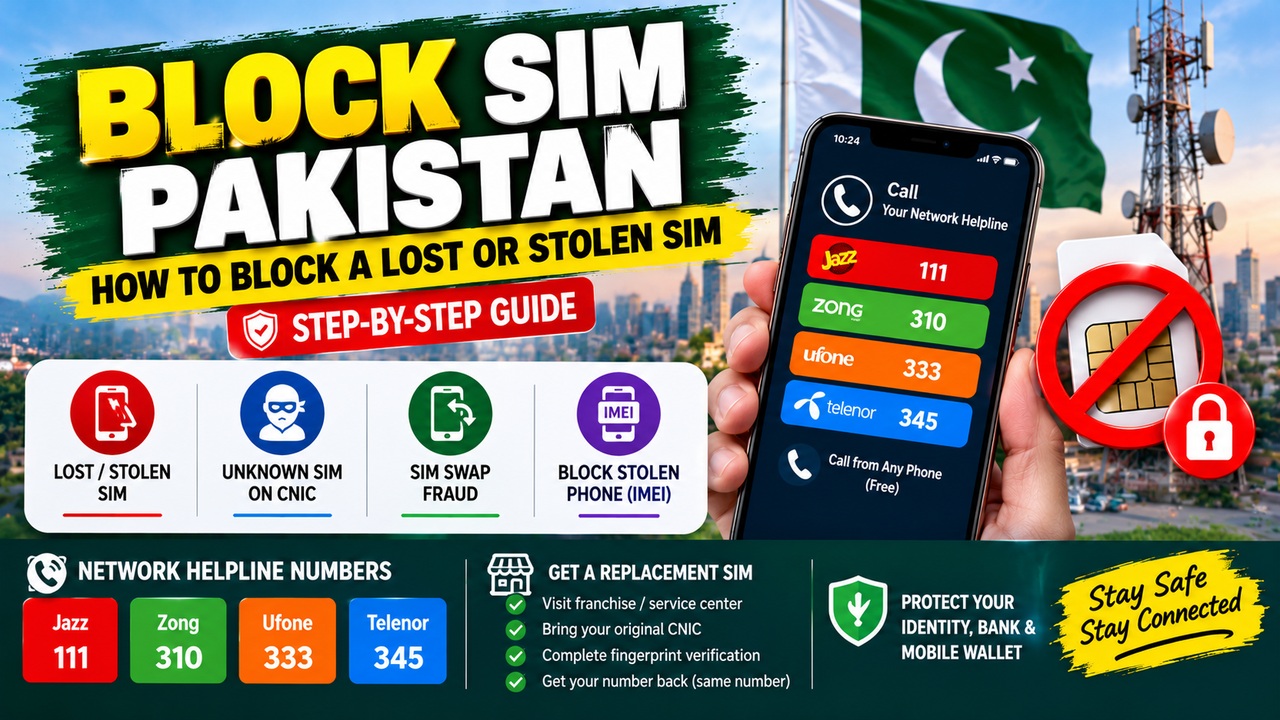
Every network has a helpline for blocking SIMs. Basically, you can call it from any phone. So, you do not need your own number. The table below lists them.
Network
Helpline
Jazz
111
Zong
310
Ufone
333
Telenor
345
As the table shows, each network has a simple helpline. Moreover, you can call from any number, not just yours. Additionally, Jazz also offers the code *8822# for blocking. Therefore, help is always within easy reach. Indeed, these numbers are worth saving now.
How to Block a Lost or Stolen SIM
Blocking a lost SIM is quick and free. Basically, you have a few easy methods. So, pick the one that suits you. Below are the main options.
Method 1: Call the Helpline (Fastest)
Calling the helpline is the fastest method. Specifically, it takes only a few minutes. So, use it the moment you lose your SIM. Moreover, it is completely free.
The steps are simple to follow. First, call your network’s helpline from any phone. Next, tell the agent your SIM is lost or stolen. Then, provide your CNIC for verification. Finally, request an immediate block of your number.
The block usually happens right away. Specifically, it works instantly after CNIC verification. Moreover, this stops any misuse at once. Therefore, this method is best for emergencies. Indeed, every minute counts here.
Method 2: Visit a Franchise
Visiting a franchise is the most secure method. Basically, it confirms your identity in person. So, it ensures a permanent, safe block. Moreover, you can also get a replacement there.
The process is straightforward at the center. First, visit your network’s franchise or service center. Next, bring your original CNIC with you. Then, complete the fingerprint verification. Finally, request the SIM block and replacement.
This method suits several situations well. Specifically, it helps if helpline verification fails. Moreover, it is best for permanent deactivation. Therefore, visit a franchise when you can. Consequently, you get the most secure result.
Get a Replacement SIM (Same Number)
After blocking, you can get your number back. Basically, a replacement SIM keeps your old number. So, you lose nothing important. Moreover, the process is quick.
The steps are simple and clear. First, visit your network’s franchise with your CNIC. Next, complete the fingerprint verification. Then, request a replacement SIM on your old number. Finally, the new SIM activates almost immediately.
A small fee usually applies for this. Specifically, Jazz charges around Rs 550 for a replacement. Meanwhile, Zong charges about Rs 400. However, prices can vary, so confirm at the franchise. You can also get it as an eSIM; our eSIM Pakistan guide explains how.
How to Block an Unknown SIM on Your CNIC
Sometimes a SIM appears on your CNIC unknowingly. Basically, someone may register it without your consent. So, you must block it fast. Below is how to do it.
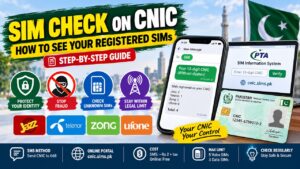
First, check how many SIMs are on your CNIC. Specifically, this reveals any SIM you did not buy. Our SIM information system guide shows how to check via 668 and cnic.sims.pk. Moreover, note down any unknown numbers you find.
Then, take action to remove the SIM. Specifically, visit that operator’s franchise with your CNIC. Moreover, request to block or disown the unknown SIM. Additionally, escalate to the PTA if needed. Therefore, recheck after a few days to confirm removal.
Block a Stolen Phone (IMEI) Too
Blocking the SIM is only half the job. Basically, a stolen phone also needs blocking. So, block the device itself too. Moreover, this stops it being used again.
The phone is blocked through its IMEI number. Specifically, the IMEI is a unique device code. Moreover, you can report a stolen phone to the PTA. Additionally, you can report it to the CPLC in Karachi at cplc.org.pk. Therefore, blocking the IMEI makes the phone useless to thieves.
Reporting the theft properly is important. Specifically, file a police report (FIR) for a stolen phone. Moreover, keep the IMEI number saved beforehand. Therefore, you can act quickly if theft happens. Indeed, preparation makes recovery easier.
What to Do After a SIM Swap or Theft
A SIM swap is a dangerous type of fraud. Basically, criminals take control of your number. So, you must act within the first 30 minutes. Below are the urgent steps.
Act fast to limit the damage. First, block your SIM using the helpline. Next, call your bank to block cards and apps. Then, block your mobile wallet accounts. Moreover, change your email and important passwords.
Reporting the crime is the final step. Specifically, report the fraud to the cybercrime authorities. Moreover, get a replacement SIM in person afterward. Therefore, quick, calm action protects your money. Indeed, the first few minutes matter most.
Documents You Need
Blocking a SIM needs the right identity proof. Basically, your CNIC is the key document. So, keep it ready before you start. Below is what you need.
A few things make the process smooth. Firstly, you need your 13-digit CNIC number. Secondly, you need the lost SIM number, if known. Thirdly, you need your original CNIC for franchise visits. Moreover, fingerprint verification is required there.
Sometimes you may face a special case. Specifically, your CNIC might be lost along with the phone. In that case, get a duplicate CNIC from NADRA first. Therefore, keep your CNIC safe and separate. Consequently, blocking stays quick and easy.
Important PTA Rules
The PTA sets clear rules for SIM security. Basically, these rules protect every mobile user. So, knowing them helps you stay safe. Below are the key ones.
A few rules are especially important. Firstly, you should report a lost SIM within 24 hours. Secondly, each CNIC allows a limited number of SIMs. Specifically, the limit is five voice SIMs and three data SIMs. Moreover, only the registered CNIC holder can block a SIM.
These rules exist for your protection. Specifically, they prevent fraud and misuse. Moreover, they keep the SIM system secure. You can learn more on the PTA site at pta.gov.pk. Therefore, following them keeps you safe and legal.
Tips to Protect Your SIM
A few habits keep your SIM safe. Basically, prevention is always better than cure. So, follow these simple tips. Below are the best ones.
Several habits reduce your risk greatly. Firstly, set a SIM PIN on your phone. Secondly, never share your CNIC photo online. Thirdly, never share OTP codes with anyone. Moreover, be careful with unknown calls asking for details.
Regular checks also protect you. Specifically, check the SIMs on your CNIC every few months. Moreover, block any SIM you do not recognize. Therefore, these habits prevent most problems. Indeed, a little care goes a long way.
Managing Your SIMs
Managing your SIMs well keeps you in control. Basically, a few simple checks help a lot. So, make them a regular habit. Below are some useful guides.
Checking your SIM details is a smart step. Specifically, you can see exactly what is in your name. Moreover, it helps you spot any misuse early. Our SIM owner check Pakistan guide explains how.
Choosing the right network also matters. Specifically, coverage and speed vary across Pakistan. Moreover, the right SIM improves your daily use. Our best internet SIM Pakistan guide helps you decide. Therefore, these guides make SIM management easier.
Frequently Asked Questions
How do I block SIM Pakistan networks quickly?
Call your network’s helpline from any phone first. Specifically, use Jazz 111, Zong 310, Ufone 333, or Telenor 345. Then, provide your CNIC and request an immediate block. Therefore, the SIM is blocked within minutes.
Is blocking a lost SIM free in Pakistan?
Yes, blocking a lost SIM is free. Specifically, the helpline block costs nothing. However, a replacement SIM has a small fee. Therefore, only the new SIM costs money.
How do I get my number back after blocking?
Visit your network’s franchise with your original CNIC. Then, complete the fingerprint verification. Next, request a replacement SIM on your old number. Therefore, you keep your number easily.
How much does a replacement SIM cost?
Replacement costs vary by network. Specifically, Jazz charges around Rs 550. Meanwhile, Zong charges about Rs 400. However, always confirm the exact fee at the franchise.
Can I block a SIM without my CNIC?
No, your CNIC is required to block a SIM. Specifically, it verifies that you own the number. However, if your CNIC is also lost, visit NADRA first. Therefore, keep your CNIC safe and separate.
How do I block an unknown SIM on my CNIC?
First, check your SIMs by sending your CNIC to 668. Then, note any unknown numbers you find. Next, visit that operator with your CNIC to block them. Therefore, recheck after a few days to confirm.
Should I block my stolen phone too?
Yes, block the stolen phone’s IMEI as well. Specifically, report it to the PTA and police. Moreover, file an FIR for the theft. Therefore, this stops the phone being reused.
How fast should I block a SIM after losing it?
Block your SIM as fast as possible. Specifically, act within the first few minutes. Moreover, the PTA advises reporting within 24 hours. Therefore, never delay after losing a SIM.