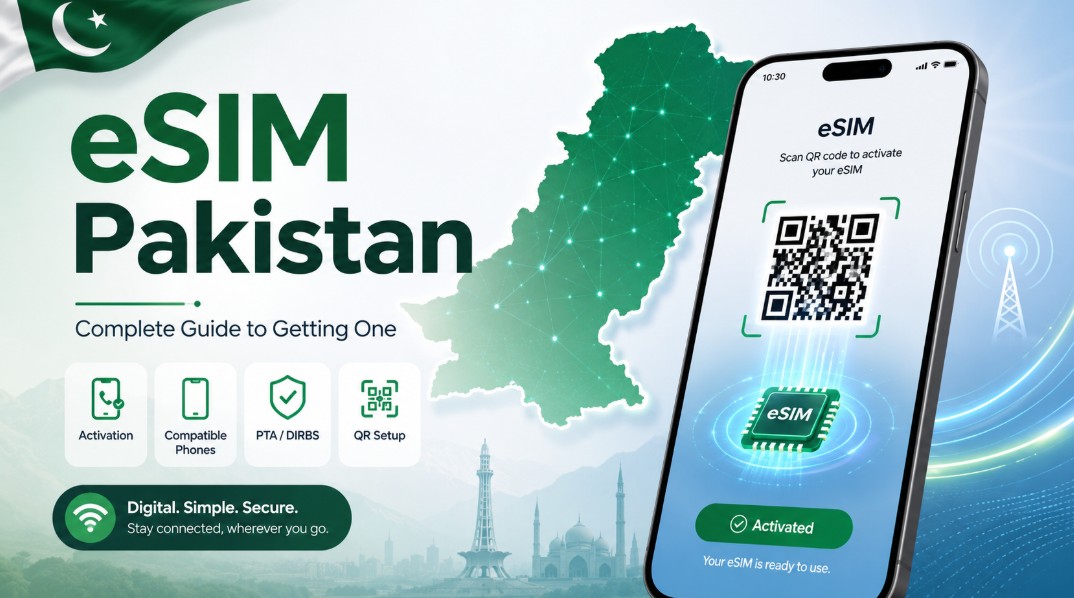
Switching to an eSIM Pakistan networks now support is easier and more convenient than ever. Moreover, all four major operators have embraced this digital technology. In this post, you will learn what an eSIM is and how to get one. Furthermore, this guide covers compatible phones, activation steps, PTA rules, and costs in clear detail.
To begin, an eSIM removes the need for a tiny plastic card. Specifically, it works as a digital SIM built right into your phone. As a result, you activate your number by scanning a QR code. Therefore, understanding the eSIM Pakistan process helps you enjoy its full benefits.
What Is an eSIM?
An eSIM is an embedded, digital SIM card. Basically, it is a small rewritable chip built into your phone. So, there is no physical card to insert or remove. Moreover, it performs every task a normal SIM does.
Activation works differently from a physical SIM. Specifically, your operator gives you a QR code to scan. Then, your phone downloads the SIM profile digitally. Therefore, your number and plan activate without any card. Consequently, the whole SIM lives inside your device.
The technology is now common worldwide. Specifically, most flagship phones support eSIM today. Moreover, Pakistani networks have fully adopted it. Therefore, it is no longer a rare or premium feature. Indeed, millions now use eSIMs across the country.
eSIM vs Physical SIM
Comparing the two helps you understand the difference. Basically, they work the same but activate differently. So, the table below highlights the key contrasts.
Feature
Physical SIM
eSIM
Card needed
Yes, a plastic card
No, a digital profile
Activation
Insert the card
Scan a QR code
Switching networks
Swap the card
Download a new profile
Dual SIM
Two card slots
Physical plus eSIM
If phone is stolen
Easily removed
Harder to remove
As the table shows, an eSIM offers more flexibility. Moreover, it improves security against theft. However, it needs a compatible phone to work. Therefore, both types have their place. Below, the benefits are explained in detail.
Benefits of an eSIM
An eSIM brings several real advantages. Firstly, you never fumble with a tiny plastic card. Secondly, you can switch networks without swapping anything. Thirdly, it supports two numbers on one phone. So, it suits modern users very well.
Travel becomes far simpler with an eSIM. Specifically, you can add a travel plan without removing your main number. Moreover, this keeps you reachable while abroad. Therefore, frequent travellers benefit the most. Consequently, it removes a common travel headache.
Security is another strong benefit. Specifically, a thief cannot simply pop out an eSIM. Moreover, this makes a stolen phone harder to reuse. Therefore, your number stays safer with an eSIM. Additionally, it produces no plastic waste, which helps the environment.
Drawbacks to Consider
An eSIM is not perfect for everyone, though. Basically, it has a few limitations worth knowing. So, weigh these before switching. Below are the main ones.
Device compatibility is the biggest limit. Specifically, only newer phones support eSIM. Moreover, many budget phones still lack it. Therefore, always check your phone first.
Switching phones can also be trickier. Specifically, moving an eSIM to a new device needs re-activation. Moreover, some carriers require a franchise visit for this. Therefore, it is slightly less flexible than swapping a card. However, the process is improving over time.
Which Networks Support eSIM in Pakistan
Every major operator now supports eSIM here. Basically, the technology is widely available. So, you can get one on your preferred network. The table below shows the current situation.
Network
eSIM Support
Note
Jazz
Yes
First to launch eSIM
Zong
Yes
QR code activation
Ufone (Ufone 5G)
Yes
Now merging with Telenor
Telenor
Yes
Customers moving to Ufone 5G
As the table shows, all four networks offer eSIM. Moreover, both prepaid and postpaid users can use it. However, note that Telenor and Ufone are merging. Therefore, former Telenor customers are joining Ufone 5G. Consequently, always confirm the latest details with your operator.
Compatible Phones
Your phone must support eSIM to use one. Basically, most recent flagship phones do. So, check your model before visiting a franchise. Below are the common compatible devices.
Several popular phones support eSIM in Pakistan. Specifically, the iPhone XS, XR, and all newer models work. Likewise, Samsung Galaxy S20 and newer support it. Moreover, Google Pixel 3 and newer are compatible too. Additionally, many recent foldable phones include eSIM.
Checking your specific model is always wise. Specifically, open your phone’s settings to look for an eSIM option. Alternatively, check the manufacturer’s specifications online. Therefore, confirm support before starting the process. Consequently, you avoid a wasted trip to the franchise.
How to Get an eSIM in Pakistan
Getting an eSIM follows a simple, clear process. Below are the general steps, which are similar across networks.
Check compatibility. First, confirm your phone supports eSIM.
Visit a franchise. Next, go to your network’s service center or franchise. Some networks also offer app-based activation.
Complete biometrics. Then, bring your CNIC and give your thumbprint. This step is required, just like for a physical SIM.
Get the QR code. After that, the representative provides a QR code on paper.
Scan the code. On iPhone, open Settings, then Cellular, then Add eSIM. On Samsung, open Settings, then SIM Manager, then Add eSIM.
Activate. Finally, scan the QR code, and your eSIM activates.
Throughout the process, keep your CNIC handy. Therefore, verification goes smoothly. Indeed, the whole setup usually takes only a short time.
How to Convert Your SIM to an eSIM
Converting a physical SIM to an eSIM is easy. Basically, you keep your same number in digital form. So, you do not lose your existing connection. Below is the general method.
The conversion process is straightforward. First, visit your network’s franchise with your CNIC. Alternatively, some networks allow it via an app or a call. Then, request the conversion and complete biometric verification. Next, scan the new QR code on your phone. Finally, your number moves to the eSIM.
You can also reverse the process later. Specifically, your carrier can issue a physical SIM again. Moreover, this usually involves a small fee. Therefore, you are never locked into one format. Consequently, the choice stays flexible.
PTA and DIRBS: The Important Step
This step is vital, yet many people miss it. Basically, an eSIM activates a specific IMEI on your phone. So, that IMEI must be registered with the PTA. Otherwise, your device could be blocked under DIRBS.
The registration steps are simple to follow. First, dial *#06# to see both your IMEIs. Then, send both IMEIs via SMS to 8484. Moreover, imported phones may need the phone tax paid first. You can register your device through the PTA DIRBS portal at dirbs.pta.gov.pk.
Biometric rules apply exactly as for physical SIMs. Specifically, your eSIM ties to your CNIC through your thumbprint. Moreover, it counts toward your CNIC’s SIM limit. You can learn more about SIM rules on the PTA site at pta.gov.pk. Therefore, this keeps eSIMs secure and properly regulated.
eSIM Costs in Pakistan
The cost of an eSIM varies by network. Basically, it depends on the operator and your plan. So, there is no single fixed price. However, some rough guidance helps.
Charges range from free to around Rs 2,000. Specifically, some networks offer conversion free, while others charge a fee. Moreover, special or premium numbers cost extra. Therefore, always confirm the current charge with your operator. Consequently, you avoid any surprises at the franchise.
Your normal package charges still apply, of course. Specifically, the eSIM only changes the SIM format. Moreover, your calls, SMS, and data plans work as usual. Therefore, budget for both the eSIM fee and your package. Indeed, the running cost matches a normal SIM.
eSIM for Travel
An eSIM is a fantastic tool for travellers. Basically, it lets you add a local plan digitally. So, you avoid buying a physical SIM abroad. Moreover, you keep your main number active too.
Pakistanis travelling overseas benefit greatly. Specifically, travel eSIM apps offer local data in many countries. Moreover, you activate them before you even land. Therefore, you stay connected from the moment you arrive. Consequently, roaming stress becomes a thing of the past.
Tourists visiting Pakistan can also use eSIMs. Specifically, they can get a local number with their passport and biometrics. Moreover, their phone’s IMEI needs temporary DIRBS registration. Therefore, visitors should complete this early. Additionally, this keeps their device working throughout the trip.
eSIM and SIM Security
An eSIM improves security, but awareness still matters. Basically, your SIM ties directly to your CNIC. So, keeping track of your registered SIMs is important. Moreover, this prevents misuse in your name.
Checking your registered SIMs is a smart habit. Specifically, too many SIMs on your CNIC can be risky. Remember, an eSIM also counts toward your CNIC’s SIM limit. To check how many SIMs are registered on your CNIC, see our SIM information system guide.
Verifying ownership details is equally wise. Specifically, you should confirm which SIMs belong to you. Moreover, this protects you from fraud and misuse. Our SIM owner check Pakistan guide explains how to check via the PTA. Therefore, regular checks keep your identity safe.
Common Problems and Fixes
A few issues can appear during eSIM setup. Basically, most have simple solutions. So, do not panic if something fails. Below are the common ones.
Several problems relate to activation. For example, a QR code may fail to scan. In that case, ensure a stable internet connection first. Moreover, a “no service” error often means a DIRBS issue. Therefore, confirm your IMEI is registered with the PTA.
Other issues involve switching devices. Specifically, moving an eSIM to a new phone needs re-activation. Moreover, some carriers require a franchise visit for this. Therefore, contact your operator for help. Consequently, most problems clear up quickly.
Communities and Help
Helpful communities make eSIM setup much easier. For example, forums like PakWheels and tech groups discuss eSIM tips. Similarly, YouTube channels show activation step by step. Moreover, Facebook groups share network experiences. So, you can learn from many other users.
Beyond online help, official support adds value. Specifically, each operator’s helpline guides you through activation. Additionally, the PTA oversees SIM and device rules. Therefore, reliable help is always within reach. Indeed, knowing these resources saves time and stress.
These communities also share useful updates. For instance, members flag changes in eSIM charges. Likewise, they discuss which phones support the feature. Consequently, staying informed keeps your eSIM Pakistan setup smooth. Ultimately, shared knowledge helps everyone switch confidently.
Frequently Asked Questions
What is an eSIM Pakistan networks now offer?
An eSIM is a digital SIM built into your phone. Specifically, it replaces the physical plastic card. Moreover, you activate it by scanning a QR code. Therefore, it works just like a normal SIM.
Which networks support eSIM in Pakistan?
All four major networks now support eSIM. Specifically, Jazz, Zong, Ufone, and Telenor all offer it. Moreover, both prepaid and postpaid users can use it. However, Telenor customers are moving to Ufone 5G.
Which phones are compatible with eSIM?
Most recent flagship phones support eSIM. Specifically, the iPhone XS and newer all work. Likewise, Samsung Galaxy S20 and newer support it. Moreover, Google Pixel 3 and newer are compatible.
How do I activate an eSIM in Pakistan?
Visit your network’s franchise with your CNIC first. Then, complete biometric verification as usual. Next, get the QR code from the representative. Finally, scan it in your phone’s settings to activate.
Do I need to register my eSIM with the PTA?
Yes, your eSIM’s IMEI must be registered. Specifically, send both IMEIs to 8484 after activation. Moreover, imported phones may need the tax paid. Therefore, this prevents your device from being blocked.
How much does an eSIM cost in Pakistan?
Charges vary from free to around Rs 2,000. Specifically, some networks offer free conversion. Meanwhile, others charge a small fee. Therefore, always confirm the current price with your operator.
Can I convert my physical SIM to an eSIM?
Yes, you can convert your existing number easily. Specifically, visit a franchise and request the conversion. Moreover, some networks allow it via an app or call. Therefore, you keep your same number digitally.
Is an eSIM safer than a physical SIM?
An eSIM is harder to remove from a stolen phone. Specifically, a thief cannot simply pop it out. Moreover, this makes the phone harder to reuse. Therefore, it adds a layer of security.