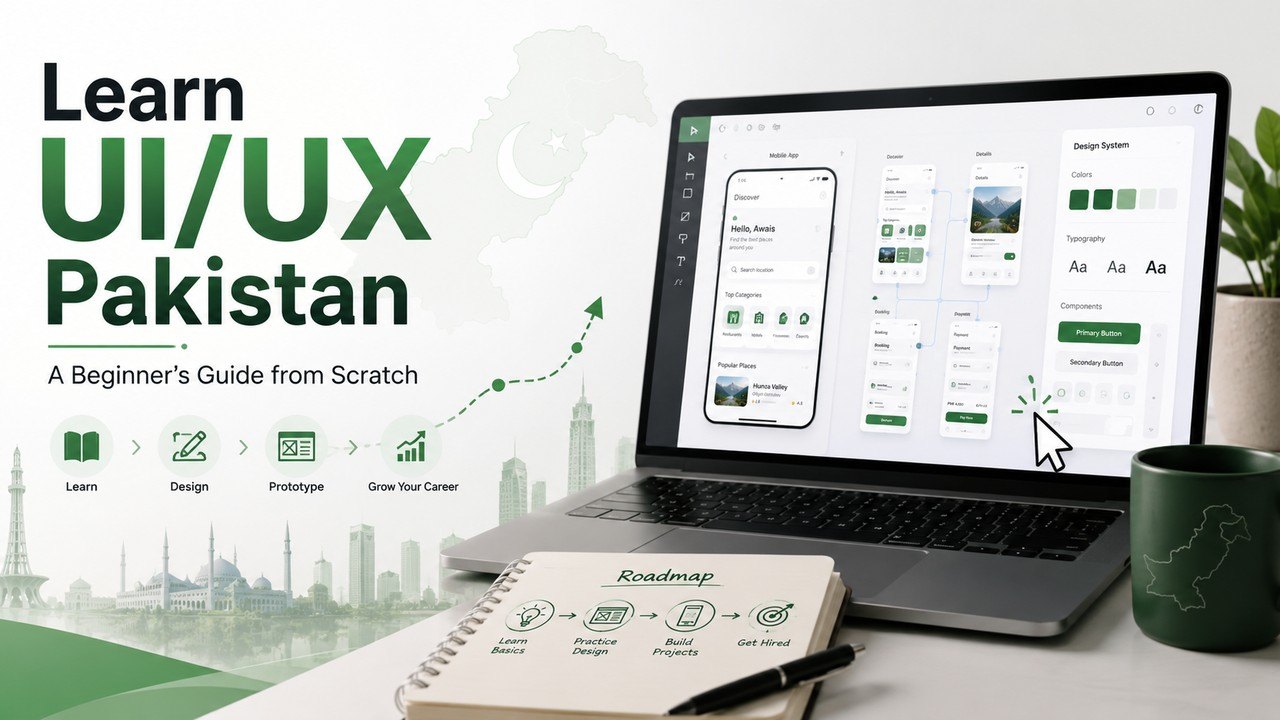
You can learn UI/UX Pakistan students dream about, starting completely from scratch. Moreover, it is one of the highest-paying and most beginner-friendly tech skills today. In this post, you will discover the tools, skills, and a clear roadmap. Furthermore, this guide covers free resources, portfolios, and how to start earning.
To begin, UI/UX design shapes how apps and websites feel to use. Specifically, it makes digital products beautiful and easy at the same time. As a result, every company now needs skilled designers. Therefore, when you learn UI/UX Pakistan’s growing tech world opens up for you.
What Is UI/UX Design?
UI/UX design has two connected parts. Basically, UI means the user interface, and UX means the user experience. So, together they shape the whole product. Moreover, both aim to help the user.
UI focuses on how a product looks. Specifically, it covers colors, buttons, and layout. Meanwhile, UX focuses on how a product works. Specifically, it covers ease of use and flow. Therefore, UI is the looks, and UX is the feel.
Both parts must work together well. Specifically, a beautiful app that is hard to use fails. Moreover, an easy app that looks ugly also struggles. Therefore, great design balances both sides. Indeed, that balance is the heart of UI/UX.
UI vs UX: The Simple Difference
Many beginners confuse UI and UX. Basically, they are related but not the same. So, understanding the difference is important. The table below makes it clear.
Aspect
UI (User Interface)
UX (User Experience)
Focus
How it looks
How it works and feels
Covers
Colors, buttons, layout
Research, flow, usability
Goal
Visual appeal
An easy, smooth experience
Key question
“Is it beautiful?”
“Is it easy to use?”
As the table shows, UI is about visuals and UX is about experience. Moreover, most designers learn both together. Therefore, you do not have to choose just one. Consequently, knowing both makes you more valuable.
Why Learn UI/UX Design?
UI/UX design offers many strong benefits. Firstly, it is in very high demand worldwide. Secondly, it pays more than many design fields. Thirdly, it is beginner-friendly to start. So, it suits students and career switchers.
The earning potential is especially strong. Specifically, skilled designers earn well through freelancing. Moreover, some Pakistani designers earn large incomes online. Additionally, product companies pay good salaries. Therefore, this skill can truly change your career.
The demand keeps growing every year. Specifically, every app and website needs good design. Moreover, Pakistan’s startup scene is expanding fast. Therefore, skilled designers are wanted everywhere. Indeed, it is a future-proof career choice.
Skills You Need to Learn
UI/UX design needs a mix of skills. Basically, some are about research, others about visuals. So, learning both sides makes you complete. Below are the key ones.
UX skills focus on understanding users. Firstly, user research uncovers what people need. Secondly, wireframes plan the basic structure. Thirdly, prototyping tests ideas before building. Moreover, usability keeps products simple and clear.
UI skills focus on the visual side. Specifically, color and typography set the mood. Moreover, layout and spacing guide the eye. Additionally, design systems keep everything consistent. Therefore, strong UI makes products look professional.
The Tools You Will Use
UI/UX designers rely on a few key tools. Basically, one tool stands above the rest. So, learning it is essential. The table below lists the main ones.
Tool
Best For
Figma
Design and prototyping (the main tool)
FigJam
Brainstorming and user flows
Dribbble & Behance
Design inspiration
Mobbin
Real app design examples
Adobe XD / Sketch
Alternative design tools
Figma is by far the most important tool. Specifically, it is the industry standard for UI/UX. Moreover, it is free and works in your browser. Therefore, every beginner should master it first. Indeed, learning Figma is your top priority.
Best Free Ways to Learn
Many free resources teach UI/UX brilliantly. Basically, you can learn everything at zero cost. So, you do not need expensive courses. The table below lists the top ones.
Resource
Best For
Google UX Certificate
Trusted beginner foundation
Figma’s free course
Learning the main tool
Great Learning
Free Figma and UI/UX certs
YouTube
Free video tutorials
DigiSkills.pk
Free government UI/UX course
Google UX Design Certificate
Google’s UX certificate is a top beginner choice. Basically, Google created it for complete beginners. So, it teaches the full UX process step by step. Moreover, you build a portfolio with real projects.
This program is trusted by employers. Specifically, you can start it for free. Moreover, it covers research, wireframes, and prototyping. You can explore Google’s training at grow.google. Therefore, it is a strong, respected foundation.
Figma’s Own Resources
Figma offers excellent free learning too. Basically, it has official beginner courses. So, you learn the tool from its creators. Moreover, many free YouTube tutorials cover it well.
These resources focus on real practice. Specifically, they teach the interface and core tools. Moreover, they show how to build real designs. Therefore, they help you master Figma fast. Indeed, hands-on practice makes it stick.
DigiSkills.pk
DigiSkills is a top free government option. Basically, it offers a UI/UX design course. So, it teaches design skills at zero cost. Moreover, it prepares you for freelancing and jobs.
This course suits local learners well. Specifically, it explains concepts clearly for beginners. Moreover, it gives a free certificate on completion. You can enrol at digiskills.pk. Therefore, it is a great free starting point.
A Simple Learning Roadmap
A clear roadmap keeps you on track. Basically, you learn each part in the right order. So, follow these stages one by one. Below is a beginner path.
First, spend the early months on foundations. Specifically, learn design principles and UI versus UX. Moreover, learn user research basics and Figma. Then, move into projects and prototyping. Additionally, practice building real screens.
The final stage focuses on your career. Specifically, build two or three strong projects. Then, turn them into a portfolio. Moreover, gather feedback and improve. Therefore, this path takes you from beginner to job-ready.
Learn the Process, Not Just the Tool
This is the most important tip in the guide. Basically, many beginners focus only on Figma. However, the tool alone does not make a designer. Moreover, UX thinking matters far more.
Great design solves real user problems. Specifically, you must understand your users first. Moreover, you plan flows before adding colors. Therefore, always start with the “why”, not the visuals. Consequently, this thinking separates true designers from tool users.
Employers care about your process. Specifically, they want to see how you solve problems. Moreover, they value research and clear thinking. Therefore, learn the full UX process deeply. Indeed, process beats pretty screens every time.
Practice with Real Projects
Practice is where real learning happens. Basically, watching lessons alone is not enough. So, you must design with your own hands. Moreover, projects build true confidence.
Several project ideas help you grow. For example, redesign an app you already use. Likewise, try daily UI design challenges. Moreover, design an onboarding flow or homepage. Additionally, work on real or made-up briefs.
Each project teaches you something new. Specifically, you learn by solving real design problems. Moreover, projects give you work to show. Therefore, always practice alongside your learning. Indeed, doing is the real secret to skill.
Build a Strong UI/UX Portfolio
A portfolio is essential in UI/UX design. Basically, it proves your skills to employers and clients. So, building one is a must. Moreover, it matters more than any certificate.
However, a UI/UX portfolio is special. Specifically, it should show case studies, not just screens. Moreover, each case study explains your full process. Additionally, it shows research, wireframes, and final designs. Therefore, two or three strong projects are enough.
You need a website to show these projects. Specifically, a clean portfolio site displays your work well. To build one, see our portfolio website Pakistan guide. Therefore, pair your case studies with a good site. Consequently, this combination wins real opportunities.
UI/UX and Other Skills
UI/UX pairs well with other digital skills. Basically, combining skills makes you more valuable. So, learning a second skill is smart. Below are two great matches.
Web development is a powerful partner for UI/UX. Specifically, designers who understand code work faster. Moreover, they turn designs into real websites. If coding interests you, our learn web development Pakistan guide shows how to start.
Structured courses also speed up your growth. Specifically, good courses guide you step by step. Moreover, many are free and beginner-friendly. To find them, see our best online courses Pakistan guide. Therefore, mixing skills opens more doors.
Free Learning vs Paid Courses
Free learning is enough for most beginners. Basically, Google and Figma teach the core skills. So, you can start without spending money. Moreover, free certificates add real value.
However, paid courses offer some extra benefits. Specifically, they provide structure and mentorship. Moreover, some include real projects and feedback. Additionally, they add accountability. Therefore, consider paid courses only after the basics.
Still, free resources can take you far. Specifically, many top designers started free. Moreover, practice matters more than paid courses. Therefore, begin free and upgrade only if needed. Consequently, you can succeed on any budget.
Earning as a UI/UX Designer
Earning is an exciting goal for many learners. Basically, UI/UX skills are highly valued. So, you can freelance or find a job. Moreover, this field pays especially well.
Several income paths are open to you. Specifically, freelancers offer design services on Fiverr and Upwork. Moreover, startups and product companies hire designers. Additionally, international clients pay strong rates. Therefore, skilled designers earn very good incomes.
Pakistani designers already prove this works. Specifically, some earn large sums on global platforms. Moreover, they started as complete beginners. Therefore, this path is realistic for you too. Indeed, skill and a portfolio open the door.
Tips to Succeed
A few habits make success far more likely. Firstly, master Figma as your main tool. Secondly, learn the UX process deeply. Thirdly, build strong case-study projects. Moreover, get feedback and improve often.
More small habits help greatly. For example, study real apps and websites daily. Likewise, follow design inspiration on Dribbble. Additionally, learn new AI design tools. Therefore, these habits turn effort into real skill.
Common Mistakes to Avoid
Many beginners repeat the same errors. Basically, these mistakes slow down progress. So, avoiding them saves you time. Below are the common ones.
A few habits hold designers back. Firstly, focusing only on pretty screens is common. Secondly, ignoring the UX process weakens your work. Thirdly, showing no case studies hurts your portfolio. Moreover, skipping practice blocks real growth.
Staying focused solves most problems. Specifically, learn thinking, not just the tool. Moreover, real projects prove your skills. Therefore, focus on solving problems, not just decorating. Indeed, process always wins here.
Communities and Help
Helpful communities make learning much easier. For example, design forums answer beginner questions. Similarly, Dribbble and Behance offer inspiration. Moreover, YouTube teaches in English and Urdu. So, you can learn from designers worldwide.
Beyond communities, free tools add value. Specifically, DigiSkills offers a free UI/UX course. Additionally, Google and Figma provide trusted learning. Therefore, quality help is always within reach. Indeed, no learner is ever truly alone.
These communities also share useful advice. For instance, members review designs and give feedback. Likewise, they share the latest tools and trends. Consequently, staying connected speeds up your growth. Ultimately, shared knowledge helps you learn UI/UX Pakistan’s tech industry rewards.
Frequently Asked Questions
Can I learn UI/UX Pakistan style completely free?
Yes, you can learn it entirely for free. Specifically, Google and Figma offer free learning. Moreover, DigiSkills provides a free local course. Therefore, money is never a barrier to starting.
What is the difference between UI and UX?
UI is about how a product looks. Specifically, it covers colors, buttons, and layout. Meanwhile, UX is about how it works and feels. Therefore, UI is the visuals and UX is the experience.
Which tool should I learn first?
You should learn Figma first of all. Specifically, it is the industry-standard UI/UX tool. Moreover, it is free and easy to start. Therefore, master Figma before anything else.
Do I need a degree to become a UI/UX designer?
No, a degree is not required for most jobs. Specifically, skills and a portfolio matter far more. Moreover, many designers are fully self-taught. However, strong case studies are essential.
How long does it take to learn UI/UX?
It usually takes a few months of steady practice. Specifically, foundations come in the first months. Meanwhile, job-ready skills take longer with projects. Therefore, consistency matters more than speed.
Can I earn money from UI/UX in Pakistan?
Yes, UI/UX is a well-paid skill here. Specifically, freelancers earn strong incomes online. Moreover, companies and startups hire designers. However, a solid portfolio helps you earn faster.
What should a UI/UX portfolio include?
It should include two or three case studies. Specifically, each should show your full design process. Moreover, include research, wireframes, and final designs. Therefore, focus on your thinking, not just visuals.
Is UI/UX hard to learn?
No, it is quite beginner-friendly to start. Specifically, free courses explain everything clearly. However, mastery takes practice and real projects. Therefore, steady effort leads to real skill.