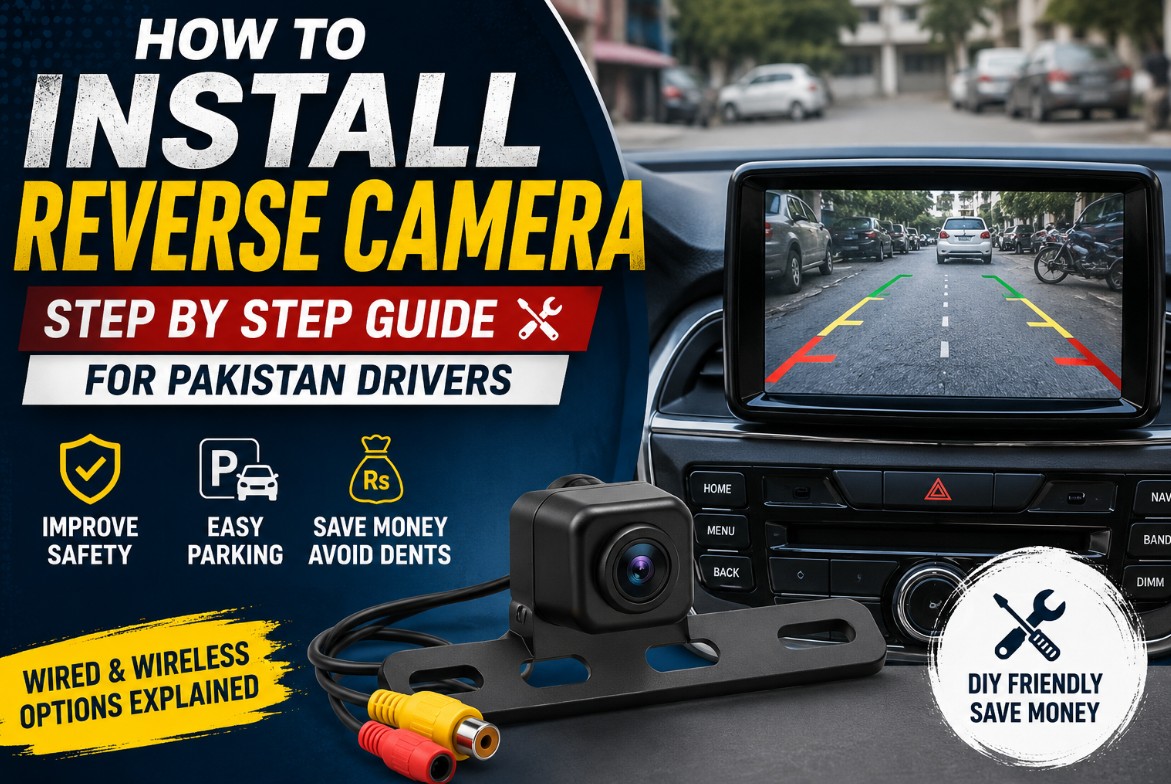
Learning to install reverse camera Pakistan drivers rely on can save money and improve safety fast. Moreover, our tight streets and crowded parking make reversing risky without one. In this post, you will learn every step, from choosing the camera to wiring it up. Furthermore, this guide covers wired and wireless setups, common problems, and prices in detail.
To begin, a reverse camera shows you exactly what sits behind your car. Specifically, it displays a clear rear view the moment you select reverse. As a result, it prevents costly dents and dangerous accidents. Therefore, knowing how to install reverse camera Pakistan roads demand is a valuable skill.
Why Fit a Reverse Camera
A reverse camera solves several real problems at once. Firstly, it removes the blind spot directly behind your car. Secondly, it helps you park safely in tight spaces. Thirdly, it protects children and pedestrians from back-over accidents. So, it is a genuine safety upgrade, not just a gadget.
Our local driving conditions make it especially useful. Specifically, narrow streets and packed parking lots are common here. Moreover, kids and bikes often appear suddenly behind cars. Therefore, a rear view greatly lowers your accident risk. In fact, the National Highways and Motorway Police share road-safety guidance at nhmp.gov.pk, and their helpline 130 assists after incidents.
The benefits reach your wallet too. For example, avoiding one reversing dent saves a costly repair. Moreover, fewer incidents can mean fewer insurance claims. Our car insurance Pakistan guide explains how coverage and claims work. Therefore, a small camera offers real long-term value.
Types of Reverse Cameras
Choosing the right camera type makes installation easier. Basically, they differ in how they mount at the rear. So, understanding them helps you pick well. The table below compares the common types.
Type
Mounting
Best For
Number-plate frame
Around the number plate
Easiest DIY fit
Plate-light replacement
In the plate-light slot
Clean, hidden look
Flush or surface mount
Drilled or stuck on the rear
Custom placement
Mirror-monitor combo
Clips onto the rearview mirror
No head unit needed
As the table shows, the plate-frame type is the simplest to fit. Meanwhile, flush-mount cameras look neat but need drilling. Therefore, match the type to your skill and car. Below, the display choice matters just as much.
Display Options
Every reverse camera needs a screen to show the view. Basically, you have several display choices in Pakistan. So, pick the one that suits your car. Below are the main options.
The easiest option uses your existing head unit. Specifically, many Android head units have a camera input built in. Meanwhile, a standalone dashboard monitor works without any head unit. Additionally, a rearview mirror monitor shows the view on the mirror itself. Therefore, even cars without a screen can add a camera easily.
Some factory infotainment screens also support cameras. However, these often need a special adapter. Moreover, the setup can be more complex. Therefore, a professional may be needed for factory-screen integration. Consequently, aftermarket head units remain the simplest route.
Wired vs Wireless: Which to Choose
This choice affects both effort and reliability. Basically, wired and wireless systems work quite differently. So, weigh the trade-offs before buying. The table below compares them.
Factor
Wired
Wireless
Image stability
Excellent
Can have interference
Installation effort
More (run a cable)
Less (no long cable)
Reliability
High
Moderate
Best for
Permanent, clean setup
Quick, easy setup
Wired systems give the most stable image. Specifically, they avoid the signal drops that wireless can face. However, you must route a video cable from rear to front. Meanwhile, wireless kits install faster with no long cable. Therefore, choose wired for reliability and wireless for convenience. Indeed, most experts prefer a wired setup.
Tools and Parts You Need
Gathering the right tools makes the job smooth. To start, collect these items before you begin.
A reverse camera kit with cables.
A multimeter or test light.
Wire strippers and connectors.
Electrical tape and zip ties.
Trim removal tools.
A drill, only for flush-mount cameras.
Additionally, keep your car’s manual close by. Specifically, it helps you locate panels and fuses. Moreover, a wired kit usually includes the RCA video cable. Therefore, check the box contents before starting. Consequently, you avoid mid-job surprises.
Safety First
Safety must come before the wiring work. Firstly, park on level ground and switch off the engine. Secondly, disconnect the negative battery terminal. Specifically, this prevents any electrical short while wiring. Thirdly, work in good light with the boot open.
A few careful habits protect your car. For example, remove trim panels gently to avoid cracks. Likewise, keep cables away from hot or moving parts. Moreover, seal outdoor connections against rain and dust. Therefore, careful work prevents future faults. Indeed, patience here saves trouble later.
How to Install a Reverse Camera (Step by Step)
The wired process follows a clear order. Below is the full method to install reverse camera Pakistan drivers can follow at home.
Disconnect the battery. First, remove the negative terminal for safety.
Mount the camera. Next, fit the camera at the number-plate area. Then, centre it and angle it slightly downward.
Access the rear wiring. After that, remove the boot or tailgate trim panel.
Find the reverse wire. Now, identify the reverse light positive wire with a multimeter.
Connect the power. Then, join the camera’s power wire to that reverse wire. Moreover, connect the ground to the car body.
Route the video cable. Next, run the RCA cable from the rear to the front. Additionally, hide it along the trim and sills.
Connect the display. Afterward, plug the video cable into the head unit’s camera input.
Wire the trigger. Then, connect the reverse trigger wire to the head unit.
Test and finish. Finally, reconnect the battery, select reverse, and check the view.
Throughout the process, secure the cable with zip ties. Therefore, it will not rattle or chafe over time. Indeed, tidy wiring keeps the whole system reliable.
(Suggested image: reverse camera mounted at the number plate.)
Finding the Reverse Light Wire
This single step causes most installation errors. Basically, the camera powers from the reverse light circuit. So, you must find the correct reverse wire. However, wire colours are never universal.
The safe method uses a multimeter or test light. Specifically, put the car in reverse with the ignition on. Then, test the rear light wires for power. Moreover, the reverse wire shows voltage only in reverse. Therefore, never rely on wire colour alone. Consequently, this simple test prevents wrong connections.
(Suggested image: testing the reverse light wire with a multimeter.)
Installing a Wireless Camera
A wireless setup skips the long cable run. Basically, it uses a transmitter and receiver instead. So, the install is faster and simpler. Below is how it differs.
First, mount and power the camera exactly as before. Specifically, connect it to the reverse light circuit. Then, attach the wireless transmitter near the camera. Next, connect the receiver to your front display. Finally, test that the video link stays stable.
However, wireless setups have one weakness. Specifically, nearby devices can cause interference or lag. Moreover, longer vehicles may see weaker signals. Therefore, confirm a solid connection before finishing. Consequently, reposition the receiver if the image drops.
Setting Up Auto-Switch and Guide Lines
A good setup switches to the camera automatically. Basically, the reverse trigger wire handles this. So, connecting it correctly is important. Below is how it works.
The trigger wire tells the display to show the camera. Specifically, connect it to the reverse light positive wire. Then, connect the other end to the head unit’s reverse input. Therefore, the screen switches the moment you select reverse. Moreover, most units let you flip a mirrored image in settings.
Parking guide lines add extra help. Specifically, they show your car’s path as you reverse. Moreover, some cameras offer adjustable dynamic lines. Therefore, enable and align them for the best view. Consequently, parking becomes far easier and safer.
Common Problems and Fixes
A few issues can appear after installation. Basically, most have simple, quick solutions. So, work through them calmly. Below are the common ones.
Several problems relate to the image itself. For example, no image usually means a loose video connection. Likewise, a mirrored view needs a flip setting change. Moreover, a camera that never switches on points to a trigger-wire fault. Therefore, recheck each connection carefully.
Other issues involve signal and weather. Specifically, wireless interference causes lag or dropouts. Moreover, water inside the camera means a poor seal. Therefore, seal all outdoor connections properly. Consequently, careful sealing prevents most weather faults.
DIY vs Professional Installation
Deciding between DIY and a pro is simple. Basically, it depends on your comfort and setup. So, weigh the effort against the cost. Below is a quick view.
DIY works well for most aftermarket setups. Specifically, mounting and basic wiring are manageable at home. Moreover, the whole job takes one to two hours. However, it needs patience and basic tools.
A professional is better in some cases. For example, factory-screen integration can be tricky. Likewise, hidden wiring needs skill and time. Therefore, a local auto-electrician can handle complex setups. Consequently, the modest labour cost is often worth it.
Reverse Camera Prices in Pakistan
Prices vary widely, so plan with rough estimates. Basically, cost depends on the camera and display type. So, the table below groups the common options. However, always confirm the current price first.
Item
Approx. Price (PKR)
Basic wired plate camera
500 – 2,500
Wireless camera kit
2,500 – 6,000
Dashboard monitor
2,000 – 5,000
Rearview mirror monitor with camera
3,000 – 10,000
Professional install (labour)
1,000 – 3,000
As the table shows, a basic setup is very affordable. Moreover, a mirror-monitor kit suits cars without a screen. Therefore, spend according to your needs. Consequently, even a small budget can add this safety feature.
Reverse Cameras and Overall Car Care
A reverse camera is a useful upgrade, but upkeep matters most. To keep your whole vehicle healthy, follow a complete routine. For a full plan, our car maintenance Pakistan guide covers every key task. Therefore, pairing smart accessories with good care protects your car best.
Smart choices start before you even buy a car. For instance, checking a used car’s reversing aids avoids surprises. Our used car inspection Pakistan guide shows what to look for. Additionally, a clean, cared-for car holds its value well. Our car detailing Pakistan guide helps you maintain it. Consequently, these habits together keep your car safe and valuable.
Communities and Help
Helpful communities make installation much easier. For example, forums like PakWheels host detailed camera-install threads. Similarly, YouTube channels show wiring step by step. Moreover, Facebook groups for car owners share model tips. So, you can learn from thousands of fellow drivers.
Beyond online help, local experts add real value. Specifically, auto-electricians install cameras quickly and neatly. Additionally, they handle tricky factory-screen setups. Therefore, expert help is always within reach. Indeed, a trusted installer is worth keeping in mind.
These communities also flag useful advice. For instance, members recommend reliable camera brands. Likewise, they warn about cheap, faulty units. Consequently, staying connected keeps you informed. Ultimately, shared knowledge helps you install reverse camera Pakistan setups the right way.
Frequently Asked Questions
How do I install reverse camera Pakistan setups at home?
First, mount the camera at the number-plate area. Next, power it from the reverse light wire. Then, run the video cable to your display. Finally, connect the trigger wire and test in reverse.
Do I need a head unit for a reverse camera?
No, several display options exist without one. Specifically, a standalone monitor or mirror monitor works well. Meanwhile, an Android head unit makes it even easier. Therefore, you can add a camera to almost any car.
Should I choose a wired or wireless camera?
Wired cameras give the most stable image. However, they need a video cable run from rear to front. Meanwhile, wireless kits install faster with no long cable. Therefore, choose wired for reliability, wireless for convenience.
How do I find the reverse light wire?
Use a multimeter or test light to find it. Specifically, put the car in reverse and test the wires. Moreover, the reverse wire shows power only in reverse. Therefore, never rely on wire colour alone.
Why does my camera not switch on automatically?
This usually means a trigger-wire problem. Specifically, the reverse trigger wire may be loose. Moreover, it must connect to the reverse light circuit. Therefore, recheck that connection carefully.
How much does a reverse camera cost in Pakistan?
Prices depend on the type and display. Generally, a basic wired camera costs Rs 500 to Rs 2,500. Meanwhile, a mirror-monitor kit costs more. Therefore, choose based on your budget and needs.
Can I install a reverse camera myself?
Yes, most aftermarket setups are DIY-friendly. Specifically, mounting and basic wiring take one to two hours. However, factory-screen integration may need a professional. Therefore, judge the job by your comfort level.