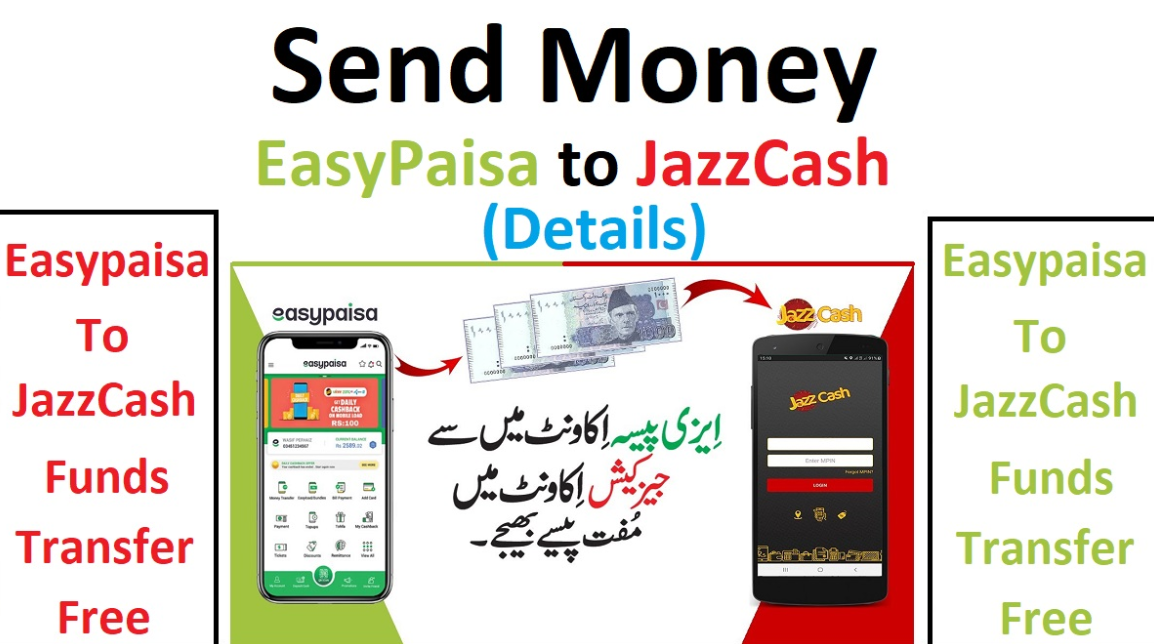
In the modern era, digital payments have transformed how we handle money. Pakistan is rapidly moving toward a cashless economy. Two of the biggest players in this shift are Easypaisa and JazzCash. Most people in the country use at least one of these services. However, there are many times when you need to send money between them. This is where the Easypaisa to JazzCash transfer becomes essential. In this post, we will explore every single detail about this process. We will cover the app method, the USSD code method, and the revolutionary Raast system.
The Evolution of Digital Wallets in Pakistan
Before we dive into the steps, it is important to understand the landscape. Telenor Microfinance Bank launched Easypaisa in 2009. It was the first mobile banking service in the country. A few years later, Jazz launched JazzCash. Both platforms aimed to provide financial services to the unbanked population. Today, millions of Pakistanis use these apps daily. They pay utility bills, buy mobile loads, and transfer funds. Consequently, the need for interoperability has grown. Interoperability means that one system can talk to another. Today, an Easypaisa to JazzCash transfer is as simple as sending a text message.
Why Do You Need to Send Money Between Wallets?
There are several reasons why you might need to perform an Easypaisa to JazzCash transfer. For instance, you might have funds in your Easypaisa account, but your local shopkeeper only accepts JazzCash. Alternatively, you might want to pay a friend who prefers one wallet over the other. Furthermore, some government payments or PTA taxes are easier to handle through specific apps.
If you are just starting out and do not have an account yet, you should first learn how to open an Easypaisa account. Once your account is ready, you can enjoy all the features mentioned in this post.
Prerequisites for a Successful Transfer
Before starting the Easypaisa to JazzCash transfer process, ensure you meet certain requirements. First, your Easypaisa account must have a sufficient balance. Second, you must have the latest version of the Easypaisa app installed. Third, your account should be biometrically verified to avoid low transaction limits. Lastly, you need the correct mobile number of the JazzCash recipient.
Method 1: Easypaisa to JazzCash Transfer via App
The mobile application is the most popular way to move money. It provides a visual interface that reduces the chance of errors. In this post, we provide a detailed breakdown of this method.
Step 1: Open and Log In
First, launch the Easypaisa app on your smartphone. You will need to enter your five-digit MPIN or use your fingerprint/Face ID. Security is paramount, so never share your MPIN with anyone.
Step 2: Navigate to Send Money
On the main dashboard, you will see several icons. Look for the “Send Money” option. Tap on it to proceed. This section allows you to send money to other Easypaisa users, bank accounts, or other mobile wallets.
Step 3: Select Other Wallets
In the “Send Money” menu, you will see an option for “Other Wallets” or “Bank Transfer.” For a JazzCash transfer, you usually need to select “Bank Transfer” or search for “JazzCash” directly if the shortcut exists. Note that JazzCash is technically operated by “Mobilink Microfinance Bank.”
Step 4: Search for JazzCash
In the list of banks, type “JazzCash” in the search bar. If it does not appear, look for “Mobilink Microfinance Bank.” This is the official banking name for JazzCash. Selecting this is crucial for a successful Easypaisa to JazzCash transfer.
Step 5: Enter Recipient Details
Now, enter the mobile number of the person who owns the JazzCash account. Ensure the number is correct. After that, select the purpose of the payment. This could be “Family Support,” “Business,” or “Education.”
Step 6: Enter the Amount
Type in the amount you wish to send. Be mindful of your remaining daily and monthly limits. After entering the amount, tap “Next.”
Step 7: Review and Confirm
The app will show a confirmation screen. It will display the recipient’s name as registered on JazzCash. This is a vital step. If the name does not match the person you are sending money to, do not proceed. If everything looks correct, tap “Send Now.” Your Easypaisa to JazzCash transfer is now complete. You will receive a confirmation SMS and a digital receipt in the app.
Method 2: Easypaisa to JazzCash Transfer via USSD Code
Not everyone in Pakistan uses a smartphone. Many people still rely on basic feature phones. For these users, the USSD code method is a lifesaver. It does not require an internet connection.
For Telenor Users (Dial *786#)
Dial *786# from your Telenor SIM.
Select Option 1 (Send Money).
Select Option 3 (To Bank Account).
Choose “JazzCash” or “Mobilink Bank” from the list.
Enter the JazzCash mobile number.
Enter the amount.
Enter your 5-digit secret MPIN to authorize the transaction.
For Non-Telenor Users (Dial *2262#)
If you are using Easypaisa on a Zong, Jazz, or Ufone SIM, you might need to dial *2262#. The menu structure is similar. However, the app is highly recommended for non-Telenor users for a smoother experience.
Method 3: The Raast Instant Payment System
The State Bank of Pakistan introduced Raast to make digital payments faster and cheaper. Raast is an “Instant Payment System.” You can use it for an Easypaisa to JazzCash transfer with zero fees.
To use this, the recipient must have their mobile number linked as a “Raast ID” in their JazzCash app.
Open Easypaisa and select “Raast Payment.”
Enter the recipient’s Raast ID (their mobile number).
Enter the amount.
Confirm the recipient’s name and send.Because Raast is a direct system, the money arrives instantly without the typical bank transfer delays.
Understanding Charges and Fees
One of the most common questions is about the cost. For a long time, these transfers were free. However, policies change based on State Bank of Pakistan (SBP) regulations.
Transaction Type
Amount
Charges
Up to Rs. 25,000 per month
Any amount
Generally Free (IBFT Rules)
Above Rs. 25,000
Total monthly volume
0.1% of the amount or Rs. 200 (whichever is lower)
Raast Transfers
Any amount
Usually Free
Note: Always check the latest “Schedule of Charges” in your app, as these can be updated by the bank.
Transaction Limits for Easypaisa
Your Easypaisa to JazzCash transfer is subject to limits. These limits depend on your account verification level.
Level 0: Lowest limits (usually 25k to 50k per month). This is for unverified accounts.
Level 1: Higher limits (up to 200k per month). Requires biometric verification at an agent or via the app.
Asaan Digital Account: Can go up to 1 million or more.
If you find that you cannot send money, check your remaining monthly limit in the “My Account” section.
Troubleshooting Common Transfer Issues
Sometimes, things go wrong. You might face an error during your Easypaisa to JazzCash transfer. Here is how to handle them.
1. Money Deducted but Not Received
This is the most stressful situation. Usually, this happens due to a sync error between the two banks. Do not panic. In most cases, the money is reversed within 24 to 72 hours. If it is not, contact the Easypaisa helpline at 3737 (for Telenor) or 042-111-003-737 (for others).
2. Transaction Failed
If the transaction fails, check your internet connection. Also, ensure the JazzCash system is not under maintenance. Sometimes, banks take their systems offline at night for updates.
3. Wrong Number Sent
If you send money to the wrong number, it is very difficult to recover. The bank cannot pull the money back without the recipient’s consent. Always double-check the name before hitting “Send.”
Security and Safety Tips
When performing an Easypaisa to JazzCash transfer, security should be your priority.
Never Share OTP: Easypaisa or JazzCash will never call you to ask for your One-Time Password.
Biometric Security: Enable fingerprint login in your app. It is much safer than a simple PIN.
Check Recipient Name: This is the best way to prevent fraud. If a “lottery officer” tells you to send money to a name you don’t recognize, it is a scam.
Why Use JazzCash After the Transfer?
Once the money reaches JazzCash, the recipient can use many features. They can pay bills or even handle tax matters. For example, many people use the wallet to pay for imported phones. You can read more about how to pay PTA tax in Pakistan to see how convenient it is. Additionally, if you need to manage your Jazz balance, you can learn how to transfer balance from Jazz to other networks.
Comparison: Easypaisa vs. JazzCash
Both apps are excellent, but they have slight differences. Easypaisa is often praised for its clean user interface. On the other hand, JazzCash has a very strong agent network in rural areas. Having both apps allows you to take advantage of different discounts and deals. Performing an Easypaisa to JazzCash transfer allows you to move your capital where the best deals are currently available.
The Future of Mobile Wallet Transfers in Pakistan
The trend of a Easypaisa to JazzCash transfer is just the beginning. The government is working on “Open Banking.” In the future, you might be able to manage all your accounts from a single app. This will further reduce the steps needed to send money. For now, the app method remains the most reliable and user-friendly way to go.
Final Summary of the Process
To wrap up, sending money from Easypaisa to JazzCash is simple. You can use the Easypaisa app, dial a USSD code, or use Raast. Each method is secure if you follow the safety guidelines. Always keep your app updated and your account verified. By doing so, you ensure that your Easypaisa to JazzCash transfer is always fast and hassle-free.
FAQ Section
Q1: Can I send money from Easypaisa to JazzCash for free?
Yes, if you use the Raast method or stay within your monthly free IBFT limit (usually 25,000 PKR).
Q2: How long does the transfer take?
Most transfers are instant. However, if the network is busy, it might take a few minutes.
Q3: What is the bank name for JazzCash in Easypaisa?
The bank name is “Mobilink Microfinance Bank.” Search for this in the bank list.
Q4: Is there a limit on how much I can send?
Yes, it depends on your account level. Level 1 accounts usually allow up to 200,000 PKR per month.
Q5: What should I do if the app is not working?
You can use the USSD code *786# (for Telenor users) to complete your Easypaisa to JazzCash transfer.