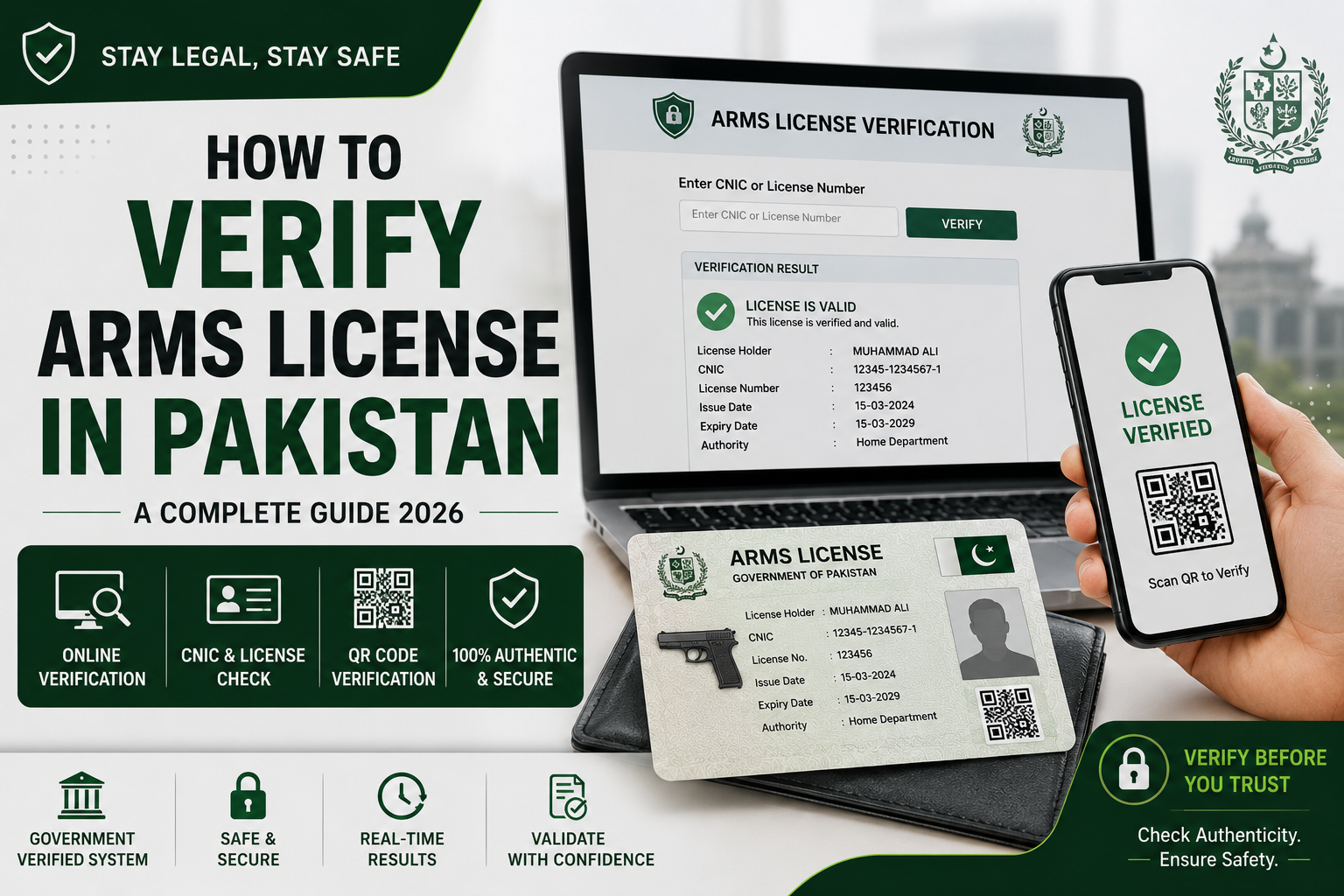
An arms license is an important legal document that authorizes an individual to possess or carry a registered firearm according to applicable laws and regulations. With the increasing digitization of government services, arms license verification Pakistan has become much easier than it was a few years ago. Citizens can now verify licenses online, check application status, and confirm whether a license is genuine through official verification systems.
Whether you own a firearm, are purchasing a licensed weapon, or simply want to confirm the authenticity of an arms license, understanding the verification process is essential. This guide explains everything you need to know about arms license verification in Pakistan, including online methods, required information, province-specific systems, and common verification issues.
What Is Arms License Verification Pakistan?
Arms license verification Pakistan refers to the process of confirming that an arms license is valid, registered in official government records, and linked to the correct license holder.
Verification helps:
Confirm authenticity of a license
Identify fake or forged licenses
Verify ownership details
Check license status
Assist law enforcement and regulatory authorities
Protect buyers during firearm transactions
With computerized records and digital databases, verification has become faster and more transparent than traditional manual methods.
Two Types of Arms Licences in Pakistan
Before verifying, it helps to know which category your licence falls under. Pakistan issues arms licences under two main classifications:
Prohibited Bore (PB): Covers high-calibre firearms — pistols, revolvers, rifles, and other weapons of restricted calibre. These require Interior Ministry approval. New PB licences for the general public have been subject to periodic bans.
Non-Prohibited Bore (NPB): Covers lower-calibre firearms — shotguns, 0.22 calibre rifles, and similar weapons. These are processed through the provincial Home Department and Deputy Commissioner offices.
Both types are now maintained in NADRA’s centralised digital licensing database, and both can be verified online.
Arms License Verification Pakistan — All Online Methods
This is the simplest and most accessible portal for arms licence verification Pakistan-wide. It was built specifically for public-facing CNIC-based licence checks.
How to verify:
Open pakarmslicence.pk in your browser on any device
Enter the 13-digit CNIC number of the licence holder
Click Submit
The portal returns the following information if the licence is registered:
Licence number
Weapon type and calibre
Issue date
Expiry date
Licence status (active / expired / cancelled)
Registered province
The result appears within seconds. No login, no registration, no fee. It is a fully public verification tool.
This portal also offers Driving License verification and Tinted Mirror Permit verification from the same platform, making it a useful multi-purpose citizen tool.
Portal: ictadministration.gov.pk/license-verification App: City Islamabad (Android and iOS)
For residents of Islamabad Capital Territory, the ICT Administration has its own dedicated arms licence verification system. Download the “City Islamabad App” from the Google Play Store or Apple App Store to verify your arms license in real-time.
How to verify via the City Islamabad App:
Download the City Islamabad app from Google Play or the App Store
Install and create a free account using your CNIC and mobile number
Navigate to Arms Licence Verification from the services menu
Enter your licence number or CNIC
View your live verification result — including weapon details, issue and expiry dates, and current status
The app also allows Islamabad residents to access other government services including domicile verification, birth certificate tracking, and property records. It is one of the more feature-complete local government apps in Pakistan and is actively maintained.
Khyber Pakhtunkhwa has its own fully operational online citizen services platform. Residents of KPK can verify their weapon licenses online by visiting the official eCitizen website and following the instructions to complete the verification process.
How to verify on KPK eCitizen:
Visit ecitizen.kp.gov.pk
Navigate to Home Department or Arms Licence services from the menu
Enter your 13-digit CNIC number
Submit the query
Your KPK-registered arms licence details will be displayed if the record exists in the system
The KPK eCitizen portal covers a wide range of government services beyond arms verification — including property, domicile, and education-related services. It is accessible 24/7.
Method 4 — NADRA In-Person or Helpline (For Punjab and Sindh)
For residents of Sindh and Punjab, weapon license verification is handled by NADRA. Visit your nearest NADRA office and provide your CNIC number to verify whether your license is original or fake. Alternatively, you can call the NADRA helpline at 7000 for assistance.
NADRA has collaborated with the Ministry of Interior and the Punjab and Sindh Home Departments to maintain the Smart Arms Licence Card database. NADRA Pakistan has developed an online portal for KPK, Sindh, Punjab, Islamabad, and Balochistan people to verify their weapon licenses online. License holders just need to enter their CNIC number of 14 digits for complete verification.
For Punjab and Sindh, the fastest in-person verification is at any NADRA Registration Centre. The NADRA officer runs your CNIC against the arms licence database and returns a verified result on the spot.
NADRA helpline for arms license queries: Call 7000 from any mobile number in Pakistan.
Method 5 — Ministry of Interior Licence Verification Portal
Portal: licenceinteriorministrypk.com
The Ministry of Interior maintains a central arms license verification portal linked to Home Departments of Punjab, KPK, Sindh, and Balochistan, as well as NADRA and Immigration and Passports. This portal is primarily used by law enforcement, government departments, and arms dealers for formal verification, but it is publicly accessible.
What Information Does Arms Licence Verification Show?
A successful verification through any of the above portals or methods returns the following information:
Field
Details Shown
Licence Number
Unique ID of the arms licence
Holder’s Name
Name as registered with NADRA
CNIC Number
13-digit identity number linked to the licence
Weapon Type
Pistol, revolver, rifle, shotgun, etc.
Weapon Calibre
The bore/calibre of the registered weapon
Bore Category
Prohibited Bore (PB) or Non-Prohibited Bore (NPB)
Issue Date
When the licence was originally issued
Expiry Date
When the licence expires
Status
Active / Expired / Cancelled / Suspended
Issuing Authority
Deputy Commissioner office or Ministry of Interior
Province / Territory
The jurisdiction under which the licence was issued
If the CNIC number does not return any result, it means either the license was never digitized, the CNIC is not linked correctly in the database, or the license does not exist in the system — all of which require a visit to the issuing authority’s office for manual verification.
How to Verify a Fake Arms Licence
Counterfeit arms licences are a real problem in Pakistan. Here is how to detect one:
Step 1 — Run an online verification. A fake licence will typically not return any result on pakarmslicence.pk or the relevant provincial portal. If the CNIC returns no record, the licence may be forged.
Step 2 — Check the physical card. Smart Arms Licence Cards issued by NADRA contain a chip, a QR code, and holographic security features. Any physical card without these features is either old (pre-2015 manual card) or forged.
Step 3 — Cross-reference the weapon details. The weapon type, calibre, and serial number on the physical card must match what the online portal shows. Any mismatch is a red flag.
Step 4 — Visit the DC office. If the online system shows no record or a mismatch, visit the Deputy Commissioner’s Arms Licence Branch in the district that issued the licence. Manual record cross-referencing is available at all DC offices.
An arms license that expires is no longer valid. An arms license can be renewed within three months of grace period after expiry without penalty. After the grace period, a one-time penalty of one year’s tax is imposed. After one year of the expiry date, approval of the competent authority is required for more than one penalty.
For Islamabad residents, renewal is handled at the Citizen Facilitation Centre (CFC) at cfc-ict.com. The renewal process requires a copy of CNIC, the original license card, and an application addressed to the Deputy Commissioner or Additional Deputy Commissioner (G), Islamabad. The applicant must appear in person for biometrics and a live picture at CFC. After submitting documents and paying the fee, the renewed license card is ready for collection after 5 working days.
CFC office hours: Monday to Friday 9:00 AM to 5:00 PM, Saturday 9:00 AM to 4:00 PM. Juma prayer break: 12:30 PM to 2:30 PM. Helpline: 051-8899611 / 051-8899622.
For residents of other provinces, renewal is handled at the relevant Deputy Commissioner’s office or NADRA centre depending on the province and license category.
Duplicate Arms Licence — When Your Licence Is Lost or Stolen
If your arms licence card is lost or stolen, do the following:
File an FIR at your nearest police station for the lost licence
Visit the relevant authority — CFC for Islamabad, DC office for other districts
Required documents for a duplicate arms license are a copy of CNIC, a copy of the FIR, and an application addressed to the Deputy Commissioner or Additional Deputy Commissioner (G). The applicant must appear in person for biometrics and a live picture. After submitting documents and paying the prescribed fee, the duplicate card is ready for collection after two subsequent visits to the CFC within 3 working days each.
Do not carry any weapon between the date of loss and the date of receiving your duplicate card. Carrying a weapon without a physical license — even with a valid record in the database — can result in legal complications at checkpoints.
Getting a New Arms Licence in Pakistan
If you do not yet have an arms license and want to apply for one, the process goes through NADRA in collaboration with the relevant provincial authority. For a complete, step-by-step guide on how to apply, the required documents, eligibility criteria, fees, and the application procedure province by province, read our detailed guide on how to get a NADRA arms licence registration — it covers everything from eligibility (minimum age 25, valid CNIC, no criminal record) to the final Smart Card collection.
Note that a ban has currently been imposed on the issuance of new licenses to the general public by the relevant authorities in some jurisdictions, particularly Islamabad. Check with your local DC office for the current policy before applying.
Common Issues During Arms Licence Verification
Problem
Likely Cause
Solution
CNIC returns no result
Licence not digitised or not linked to CNIC
Visit DC office or NADRA centre for manual verification
Record shows “Expired”
Licence renewal overdue
Renew immediately at CFC or DC office
Name/weapon mismatch
Data entry error during digitisation
Visit issuing DC office with original documents for correction
Licence shows “Cancelled”
Non-renewal beyond grace period, or legal issue
Consult a lawyer and contact the issuing authority
Portal not loading
Server maintenance or internet issue
Try pakarmslicence.pk as an alternative
FAQs — Arms License Verification Pakistan
Q: How do I verify my arms licence online in Pakistan? Visit pakarmslicence.pk, enter your 13-digit CNIC number, and click Submit. The portal returns your licence details including weapon type, calibre, issue date, expiry date, and current status instantly. For Islamabad, use the City Islamabad app. For KPK, use ecitizen.kp.gov.pk.
Q: Can I verify an arms licence by CNIC number? Yes. All online portals for arms licence verification in Pakistan use the 13-digit CNIC number as the primary search identifier. Some portals also allow search by licence number as an alternative.
Q: What information is shown in arms licence verification? A verified result shows the licence number, holder’s name, CNIC, weapon type, calibre, bore category (PB or NPB), issue date, expiry date, current status, issuing authority, and province.
Q: How do I verify an arms licence in Punjab? Punjab residents can verify through NADRA at any NADRA Registration Centre by providing their CNIC. The NADRA helpline at 7000 also assists with Punjab arms licence queries. The pakarmslicence.pk portal covers Punjab records as well.
Q: How do I verify an arms licence in KPK? KPK residents use the official eCitizen portal at ecitizen.kp.gov.pk. Navigate to Home Department services, enter your CNIC, and retrieve your arms licence verification result.
Q: How do I renew my arms licence in Pakistan? For Islamabad, visit the Citizen Facilitation Centre (CFC) at cfc-ict.com with your CNIC copy, original licence card, and a written application to the Deputy Commissioner. An expired licence can be renewed within a 3-month grace period without penalty. For other provinces, visit the relevant DC office or NADRA arms licence centre.
Q: What should I do if my arms licence shows as expired in the online system? Visit your nearest CFC (Islamabad) or Deputy Commissioner’s Arms Licence Branch (other districts) immediately. Do not carry your weapon until the renewal is complete. An expired licence is legally invalid.
Q: How can I detect a fake arms licence? Run the CNIC on pakarmslicence.pk or the relevant provincial portal. A genuine licence will return a verified record. If no result appears, or if the weapon details on the physical card do not match the portal record, the licence may be counterfeit. Report suspected fake licences to NADRA (helpline 7000) or the nearest police station.
Q: Can a new arms license be issued in 2026? New arms license issuance to the general public is currently restricted in several jurisdictions including Islamabad. Post-transaction services such as renewal, change of weapon, and duplicate card issuance remain fully available. Check with your local DC office for the latest policy in your district.
Q: Where can I get help with arms license issues in Islamabad? Contact the Citizen Facilitation Centre (CFC) at 051-8899611 or 051-8899622, or email [email protected]. Office hours are Monday to Saturday, 9:00 AM to 5:00 PM (Friday break 12:30–2:30 PM).
Final Word
Arms licence verification in Pakistan has come a long way from queues at the DC office and handwritten records that took days to cross-reference. Today, a 13-digit CNIC number entered into pakarmslicence.pk returns verified weapon licence information in seconds. The KPK eCitizen portal, the City Islamabad app, NADRA centres, and the Ministry of Interior portal collectively cover the entire country — making this one of the more successfully digitised government services in Pakistan.
Check your licence. Confirm it is active. Verify the weapon details match your physical card. And if anything is off — a mismatch, an expiry, a missing record — act before you encounter a police checkpoint, not after.
A licence on a wall that is not verified in a database is not a licence. A legal weapon is one whose record is clean, current, and verifiable by anyone who needs to check.