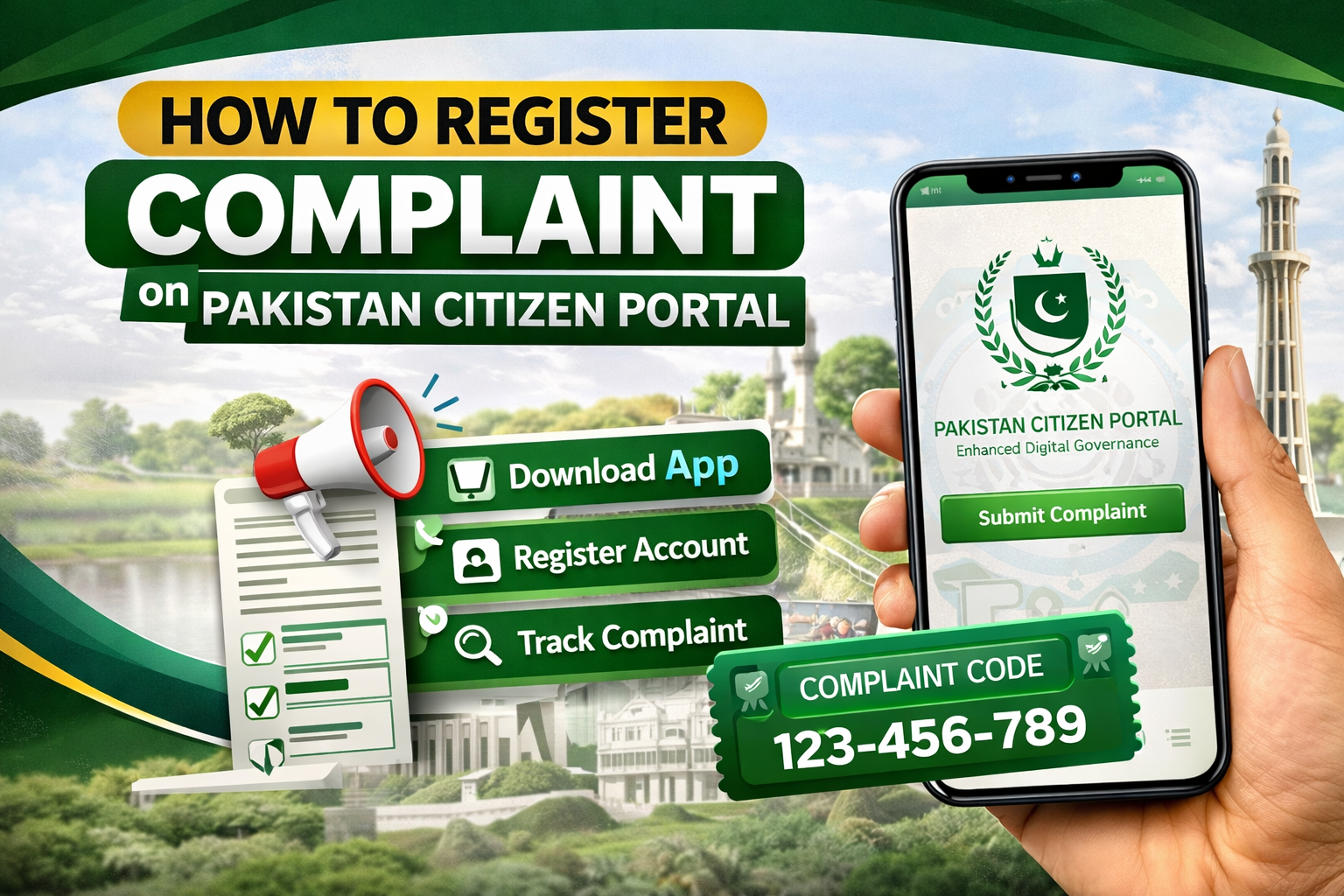
Have you ever had a problem with a government department and had no idea where to complain? The citizen portal Pakistan was built to solve exactly that. It is a government-owned mobile application that connects Pakistani citizens directly with every federal and provincial government organization in the country. You do not need to visit any office. You do not need a reference or a contact. You just need your CNIC and a mobile phone.
This guide covers everything — what the portal is, how to register, how to file a complaint step by step, how to track it using your complaint code, and what to do if your complaint is ignored.
What Is the Pakistan Citizen Portal?
The Pakistan Citizen Portal (PCP) is an official government application developed by the National Information Technology Board (NITB). It is managed by the Prime Minister’s Performance Delivery Unit (PMDU), which operates out of the Prime Minister’s Office.
The portal was originally launched as a KP-level initiative in 2018 before being extended nationwide under the federal government. Today, it covers all government departments at both federal and provincial levels — from NADRA and FBR to police, health, education, and municipal services.
Its core purpose is simple. Citizens register their complaints digitally. The complaint is routed automatically to the relevant department. The responsible officer must respond within a defined timeline. Their response directly affects their official performance record.
This accountability mechanism is what makes the portal genuinely different from a regular helpline. Your feedback is not just noted — it is linked to an officer’s performance evaluation.
Who Can Use the Citizen Portal Pakistan?
The portal is open to a wide range of users:
Pakistani citizens residing in any city or village across the country
Overseas Pakistanis living abroad who want to raise issues from their home country
Foreign nationals who face issues with Pakistani government departments
Women, senior citizens, and persons with disabilities — PMDU gives priority attention to complaints from these groups
You can raise complaints in Urdu or English. The response from the concerned department must also be in the same language you used.
What Types of Complaints Can You File?
The Pakistan citizen portal complaint cell covers an extensive range of government services and departments. Common complaint categories include:
NADRA — CNIC delays, B-Form issues, data corrections
Police — non-registration of FIRs, harassment, illegal detention
Taxation — FBR, income tax, sales tax, customs issues
Utilities — WAPDA, SNGPL, SSGC, PTCL
Health — public hospital negligence, medicine unavailability
Education — schools, colleges, government university issues
Revenue and land — patwari issues, mutation delays, fard problems
Housing and urban development — illegal construction, sewerage, road damage
Transport — road quality, public transport, traffic police
EOBI, social welfare, and pension-related matters
What you cannot complain about: The portal does not process complaints related to religion, ethnicity, sect, hate speech, or political parties. Frivolous or false complaints can negatively affect your citizen rating on the platform.
How to Download the Pakistan Citizen Portal App
The app is free. It is available on both major platforms:
Android: Search “Pakistan Citizen Portal” on Google Play Store or visit the Play Store link provided at citizenportal.gov.pk
iOS: Search “Pakistan Citizens Portal” on the Apple App Store
You can also access the portal through the web browser at web.citizenportal.gov.pk if you do not have a smartphone.
Step-by-Step: How to Register on the Portal
Registration is a one-time process. Once done, you can file complaints at any time without repeating it.
Step 1 — Open the app Launch the Pakistan Citizen Portal app after installing it.
Step 2 — Tap “New Citizen/Member” Select the registration option on the main screen.
Step 3 — Enter your CNIC Type your 13-digit CNIC number. This is mandatory. Without a valid CNIC, registration is not possible. Overseas Pakistanis can use their NICOP number.
Step 4 — Verify your mobile number Enter your Pakistani mobile number. An OTP (one-time password) will be sent via SMS. Enter the OTP to verify your number.
Step 5 — Set a password Create a strong password for your account. This keeps your complaint history private.
Step 6 — Upload your photograph Upload a clear, recent photograph showing your full face. This is required for all registrations.
Step 7 — Complete your profile Fill in your name, email address, city, and district. Make sure your postal address is accurate — result cards and notifications are sent to this address.
Step 8 — Verify your email Go to the menu and complete email verification. Without this, your account may have limited functionality.
Once registered, log in at any time using your CNIC and password.
Step-by-Step: How to File a Pakistan Citizen Portal Complaint Registration
Once logged in, follow these steps for Pakistan Citizen Portal Complaint registration:
Step 1 — Tap the “+” button On the home screen, tap the plus icon to start a new complaint.
Step 2 — Select complaint type Choose from three options:
Complaint — for grievances against a government department
Suggestion — for improvement recommendations
Query — for asking information from a government body
Step 3 — Choose the concerned organisation Select the federal ministry, provincial department, or local government body your complaint is about. Be specific — choosing the wrong department delays resolution significantly.
Step 4 — Select the complaint category Each department has predefined subcategories. Choose the most relevant one. This determines which officer receives your complaint.
Step 5 — Write your complaint Describe your issue clearly and concisely. State the facts. Include dates, locations, and names of officers if known. Avoid emotional language — factual complaints are processed faster and more seriously.
Step 6 — Attach supporting evidence Upload photos, documents, screenshots, or any evidence supporting your complaint. Attach as PDF or image files. Supporting evidence significantly improves the chance of resolution.
Step 7 — Submit Tap “Submit.” Your complaint is instantly routed to the responsible department through the portal’s automated system.
Understanding Your Pakistan Citizen Portal Complaint Code
Immediately after submitting your complaint, the system generates a unique Pakistan Citizen Portal complaint code. This is your tracking ID.
Save it. Do not lose it.
Your complaint code allows you to:
Track the current status of your complaint in real time
Check whether it has been forwarded, is pending, or has been resolved
Reference your complaint in any follow-up communication
Escalate the matter if the response is unsatisfactory
To track your complaint, go to “My Complaints” in the app menu and enter or select your complaint code. The status will show as New, In Progress, Forwarded, Resolved, or Dropped.
How the Complaint Resolution Timeline Works
The portal uses a strict colour-coded escalation system. This is what makes it genuinely accountable:
Timeline
Status
Escalation Level
Day 0–15
Active
Assigned to the concerned officer
Day 15+
Overdue
Escalated to the District Commissioner
Day 22+
Critical
Escalated to the Commissioner
Day 30+
Very Critical
Escalated to the Chief Secretary or Federal Head
If an officer fails to respond within the timeline, the system automatically escalates the complaint upward. This creates real pressure on departments to act.
Additionally, the Prime Minister’s Performance Delivery Unit (PMDU) randomly re-opens resolved complaints under the “Prime Minister of Pakistan” tagline for spot checks. This means even after closure, a complaint can be revisited if the citizen marks their feedback as unsatisfactory.
How to Use the Pakistan Citizen Portal Online Complaint Cell
For citizens who do not have a smartphone or prefer the web, the Pakistan citizen portal online complaint cell is accessible through the website at web.citizenportal.gov.pk.
The web portal works identically to the mobile app. You register with the same CNIC and mobile number. You file, track, and respond to complaints through the browser. All complaint codes and tracking features work the same way.
This web option is particularly useful for overseas Pakistanis using desktop computers, for elderly citizens who are not comfortable with smartphones, and for anyone whose mobile app is experiencing technical issues.
Providing Feedback After Resolution
When a department marks your complaint as resolved, you will receive a notification. You are then asked to rate the resolution in two ways:
Time rating — Was the complaint resolved within a reasonable period?
Quality rating — Was the actual problem fixed to your satisfaction?
This feedback is not optional in spirit — it directly feeds into the officer’s performance record. If you feel the issue was not genuinely resolved, mark your feedback accordingly. A negative rating can trigger PMDU to re-open the complaint for review.
Never accept a fake resolution. If your road is still broken or your FIR still unregistered, say so in your feedback.
What to Do If Your Complaint Is Ignored
Sometimes complaints get closed without genuine resolution. Here is what to do:
Rate negatively. Submit poor feedback when asked. This flags the case for PMDU review.
Re-file the complaint. You can submit a new complaint referencing the original complaint code. In your new submission, attach the previous complaint code as evidence of the earlier unresolved issue.
Escalate to PMDU directly. Contact the Prime Minister’s Performance Delivery Unit through the portal. Use the “PMDU” organisation option when selecting the department in a new complaint.
Use other channels. If the matter involves a criminal offence such as a missing FIR or police harassment, you may also want to file an online FIR simultaneously. Our step-by-step guide on how to file an online FIR in Pakistan explains exactly how to do this — particularly useful when your citizen portal complaint alone is not prompting police action.
Tips for Filing an Effective Complaint
A well-written complaint gets resolved faster. Follow these simple rules:
Be factual. Stick to dates, names, and events. Avoid vague or emotional language.
Be specific. Name the department, the district, and the officer if possible.
Attach evidence. Photos, documents, and screenshots make your complaint harder to dismiss.
Choose the right category. Wrong category selection is the most common reason for delays.
One issue per complaint. File separate complaints for separate problems. Do not combine multiple issues in one submission.
Follow up. Log in regularly to check status and respond if the department asks for more information.
Overseas Pakistanis and the Citizen Portal
The portal is available to all Pakistanis abroad. Register using your NICOP number instead of a CNIC. Use a valid Pakistani or international mobile number for OTP verification.
Overseas Pakistanis can raise issues about property disputes in Pakistan, NADRA matters, passport problems, utilities, and any other government service back home — all without having to physically travel or rely on intermediaries.
The Ministry of Foreign Affairs has specifically directed all Pakistani missions abroad to spread awareness about the citizen portal as the primary grievance channel for overseas citizens.
FAQs — Citizen Portal Pakistan
Q: What is the Pakistan Citizen Portal? It is a government-owned mobile application managed by the Prime Minister’s Performance Delivery Unit (PMDU). It connects citizens directly with all federal and provincial government departments for complaint registration, suggestions, and queries.
Q: Is the citizen portal app free? Yes. It is completely free to download and use on both Android and iOS. There are no charges for registering or filing complaints.
Q: Can I file a complaint without a CNIC? No. A valid CNIC is mandatory for registration. Overseas Pakistanis can use their NICOP. Foreign nationals can register with their passport details.
Q: How long does it take for a complaint to be resolved? Officers must respond within 15 days. After 15 days, the complaint is automatically escalated to the District Commissioner. After 22 days, it escalates further to the Commissioner. Unresolved complaints continue escalating up to the Chief Secretary or Federal Head of the department.
Q: What is the Pakistan Citizen Portal complaint code? It is a unique tracking ID generated automatically when you submit a complaint. Use it to check your complaint status at any time in the “My Complaints” section of the app.
Q: Can I use the citizen portal on a computer? Yes. The web version is available at web.citizenportal.gov.pk. It offers the same features as the mobile app.
Q: Can I file a complaint against the police on the citizen portal? Yes. Police-related complaints including FIR non-registration, harassment, and abuse of power can all be filed through the portal. The IGP office processes portal complaints in two shifts under dedicated supervision.
Q: What happens if the department closes my complaint falsely? Rate your feedback as unsatisfactory. This flags it for PMDU review. PMDU randomly re-opens complaints for spot checks. A negatively rated resolution significantly increases the chance of the complaint being re-investigated.
Q: Can I file complaints in Urdu? Yes. You can write complaints in either Urdu or English. The department is required to respond in the same language you used.
Q: Is the citizen portal connected to all provinces? Yes. The portal covers all four provinces — Punjab, Sindh, KPK, and Balochistan — as well as Islamabad, Azad Kashmir, and Gilgit-Baltistan. All federal ministries and provincial departments are included.
Final Word
The citizen portal Pakistan is one of the most powerful tools an ordinary Pakistani has today. It bypasses bureaucracy. It creates direct accountability. And it works — when used correctly.
Register once. File your complaint with facts and evidence. Track it using your complaint code. Rate your feedback honestly. And escalate if needed.
You have the right to be heard. The portal makes sure someone has to listen.